주요 콘텐츠로 건너뛰기
수리 커뮤니티 가입 - 계정 만들기

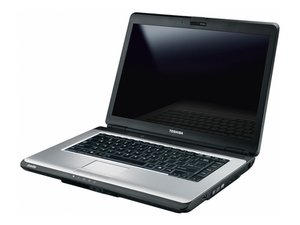
Toshiba Satellite L300은 Windows Vista 버전이 탑재되어 Toshiba에서 설계 및 판매한 노트북입니다. 2009년 5~6월경 판매되었으며 무료 Windows 7 업그레이드 대상은 아니었습니다. 세월이 흐르면서 업그레이드 지원은 종료되었지만, Vista의 높은 리소스 점유율 문제로 인해 업그레이드 없이도 Windows 7 Home Premium을 무난하게 실행할 수 있습니다. Toshiba Satellite L300-04P (PSLB8C-04P01X)라고도 합니다.

Won't boot up.

I put the machine into sleep mode then closed the lid. On opening nothing I did would wake it up. Shut it down. Would not then boot up. Tried everything. Took out battery, RAM, swapped SSD, tried booting holding down various key combinations. Lights come on, SSD flickers, but nothing appears on the screen. Thank you for any tips!

이 질문에 답하기 저도 같은 문제가 있습니다

좋은 질문입니까?

점수 0
댓글 달기

답변 1개

try to clean it first and check that there isn't any falty connections, then consider making a bootable USB for a linux(I'd suggest Ubuntu or mint or Pop for easy use and lots of good youtube tutorials online) and to check that it's not a kind of software bug then try replacing the RAM as it could be faulty RAM Toshiba Satellite L300 RAM 교체

hope this helps

이 답변이 도움이 되었나요?

점수 0

댓글 2개:

Thank you for your reply. Tried taking out the original and extended RAM cards and swapping over. No joy. It's a Windows 10 set up (been running that since Windows 7 was no longer supported.) Won't boot up off a boot able USB stick and pressing F8 and F12 on start up have no effect. I suppose I could try a new RAM card.

I meant to add that I also took out both memory modules and tried each one in the main memory slot, ie, just one at a time. I guess it's possible that they may have both become faulty.

댓글 달기

답변을 추가하세요

K P Dawson 영원히 감사할 것입니다.
조회 통계:

지난 24시간: 1

지난 7일: 2

지난 30일: 5

전체 시간: 247