
Display not turning on; keyboard lights up. Suspecting (v)RAM issues
Hi all,
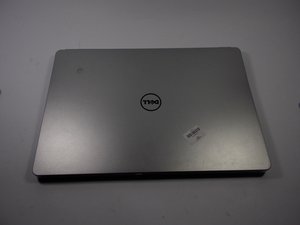
My boyfriend got liquid on his laptop and now the screen does not turn on. It has occasionally turned on, only to spit some garbled picture on the screen. It looks similar to what happens when you take RAM out of a running computer, so I'm suspecting this is the issue. I'm not well-versed hardware failures though. I popped it open to check for any obvious signs of water damage, but I couldn't find any (stains, zap marks, etc.). Unfortunately, I don't have any images of the actual device, or what the torn graphics looked like, but here's a random image for comparison: https://i.ytimg.com/vi/u4cFFybZcqc/maxre...
Any ideas?
Best,
-- cubething
좋은 질문입니까?
점수
0

 11
11  425
425  1.6k
1.6k 

댓글 2개
Hi @cubething
Taking ram out of a PC that's powered on is not good practice. Hopefully you're not reinserting it whilst it's on? Sure way to damage ram if you are
Have you tried checking the display on an external monitor (TV?) attached to the laptop to see if it is OK?
If the external display is OK then there's a problem with the laptop's LCD panel or video cable connector on the board.
If it is not OK then it's a motherboard problem and further testing would be required to find out where.
What is the model number of the motherboard (printed on the board) as the schematics will be needed to find out what the problem is?
What is the model number of the laptop as shown on the product label on the bottom of the laptop, in case replacement parts are needed?
jayeff 의
Hi jayeff,
Obviously I'm not taking the RAM out while it's running. I've tried using an HDMI with no luck. I noticed the power light was flashing, so I looked it up in the user manual (here). 2 amber 4 white indicates RAM issues, so I popped out the RAM and saw that the connectors on one of the chips were a bit fried! Going to try ordering a new one and replacing it. Going to keep this thread open in case.
It is a Dell Inspiron p157g. Couldn't find the board model, it's obscured by a million parts I'd prefer not to remove unless I have to.
Best
cubething 의