
주요 콘텐츠로 건너뛰기

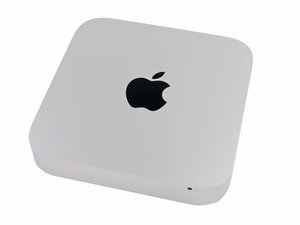
2014년 10월 16일에 발표하였으며, 모델 번호 A1347 및 EMC 2840로 식별할 수 있습니다.

Error VDH002 after replacing internal SSD

My internal drive was failing during a reinstall of the OS. I ended up replacing the SSD with an 500GB OWC Aura Pro X2 (OWCSP4P1T1MB05K). After getting the drive installed and booted I ran read/write test and was running over 700mb/sec for both. I ran diagnostics just to make sure everything is working okay and it came up with an error VDH002 "There may be an issue with a storage device." Is this just because it isn't the OEM drive or is there something else I need to be worried about? Thanks.

이 질문에 답하기 저도 같은 문제가 있습니다

좋은 질문입니까?

점수 0
댓글 달기

답변 1개

I found this online. You may still be able to use it.

This phenomenon has to do with the design mechanism of the Mac itself.

The interface of Apple's original SSD is classified as either AHCI PCIe or NVMe PCIe.

For earlier Mac models, the original SSD only supported the AHCI PCIe interface whereas for later Mac models, both AHCI PCIe and NVMe PCIe interfaces are supported.

Therefore, if you use Apples's original NVMe PCIe SSD or NVMe's JDM products on earlier Mac models, a "VDH002" message will appear when you hold down the D key to conduct detection during startup.

Yet, this does not affect the normal use of your product. The issue is merely a result of Mac's design mechanism itself. If you wish to check the health status of your JDM products, you may download our JetDrive Toolbox for further examination from the website provided in the link below.

https://us.transcend-info.com/Support/So...

이 답변이 도움이 되었나요?

점수 0
댓글 달기

답변을 추가하세요

c.r.faulkner 영원히 감사할 것입니다.
조회 통계:

지난 24시간: 0

지난 7일: 2

지난 30일: 6

전체 시간: 71