
주요 콘텐츠로 건너뛰기
수리 커뮤니티 가입 - 계정 만들기

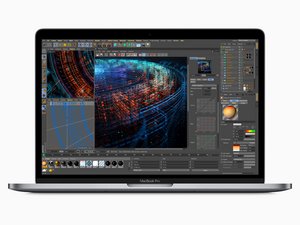
2018년 7월 출시, 15" MacBook Pro, 모델 A1989, True Tone 기술 15.4 inch LED-백라이트 화면, TouchID, 및 최대 Core i9 프로세서 여섯 개.

Battery changed - still shows Service Recommended

I changed the battery and got the computer all put back together. It charges and seems to hold a charge longer . When I first powered on the Mac Pro - for a short time the Service recommended notice went away but is now back. I tried resetting the SMC but does not seem to have changed anything. I loaded Coconut battery and still shows the original battery information.

Block Image

Could there be an issue with the Battery Board Data Cable if it isn't seated properly ? Wanted to ask for some advice before taking the computer apart again

이 질문에 답하기 저도 같은 문제가 있습니다

좋은 질문입니까?

점수 1
댓글 3개

Did you install a new battery or an already used one?

A new battery from iFixit.

@livfe that was my doing since it worked for the OP, it is a great answer that will potentially help many others. I did change it back

댓글 달기

답변 2개

가장 유용한 답변

Let's see if a hard SMC reset fixes this. Carefully disconnect the batteries connection, leave the Battery data cable connected. Now press the power button and hold it for a good 15 sec's this drains the charge within the logic board. Now plug in the MagSafe to power the system I haven't tried this yet on a M Series system so I'm sure what will be the reaction. Intel system tend to spontaneously restart. Give it a chance, then disconnect the MagSafe charger and reconnect the battery and restart the system did that alter CoconutBattery give it a good minute to recache the values.

이 답변이 도움이 되었나요?

점수 1

댓글 12개:

Thanks! I'll give it a shot and report back

Open finder, preferences, select to show your macbook (Under iCloud), user name / library / com.apple.power (3 files) - delete them, empty trash, restart.....

I disconnected the battery and pressed the power button for quite a while (more than 30 seconds). When I plugged the charger in - it stayed dead. No sign of life after waiting a bit. I disconnected the charger, connected the battery and had some trouble getting it to turn on. I needed to plug the charger back in and then it restarted. Unfortunately CoconutBattery still thinks it is the old battery and still recommends service for the battery.

@laurenf48722 Did you try this? Open finder, finder preferences, select to show your macbook (Under iCloud), user name / library / com.apple.power.plist (3 files) - delete them, empty trash, restart..... (com.apple.powerlogd / com.apple.PowerManagement / com.apple.PowerManagement*)

@laurenf48722 - See if deleting the files Livfe pointed to fixes things.

댓글 7개 더보기

댓글 달기

I'm in this position now, replacement went great, but it's still showing as "service recommended". I've deleted the power profiles in /Library/Preferences and after a reboot it's still showing the same message. I'm on a Macbook Pro A2338 M2, running Tahoe.

이 답변이 도움이 되었나요?

점수 0
댓글 달기

답변을 추가하세요

Lauren F 영원히 감사할 것입니다.
조회 통계:

지난 24시간: 1

지난 7일: 27

지난 30일: 141

전체 시간: 708

