주요 콘텐츠로 건너뛰기

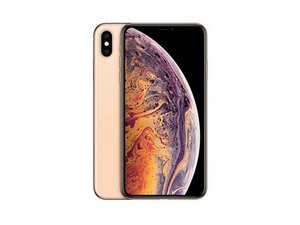
2018년 9월 21일 출시. Models A1921, A2101, A2102, A2104. GSM 또는 CDMA / eSIM 또는 nano-SIM / 64, 256, 또는 512GB / 은색, 금색 또는 스페이스 그레이. ("iPhone 10 S Max"로 발음합니다.)

iPhone XS Max Boot Looping and touch screen non functional

Hello, I tried charging my iPhone XS Max yesterday and it wouldnt charge at all, it was stuck at the red battery screen (the one that shows when the battery is dead but the phone is plugged in and charging). I left it to charge overnight, but it still didnt charge up.

Today I decided to take it apart and put the original battery back in the phone as I had replaced it last year with a battery from amazon. After replacing it and letting it boot up I noticed that the touch screen was completely unresponsive but the phone wasn’t frozen. The phone was still opened at this point with the connecter shield screws not on, so i screwed everything back together and closed up the phone.

After closing the phone up it got stuck in a boot loop and it only exits the boot loops when the screen is removed. There is no damage on any part of the board or on the display. All help would be appreciated.

답변되었습니다! 답변 보기 저도 같은 문제가 있습니다

좋은 질문입니까?

점수 0
댓글 2개

People use the term "boot loop" to cover a variety of conditions; can you clarify what you mean when you say it? Does it boot up completely then reboot three minutes later, or does it just bring up the Apple logo and nothing else, then restart?

@dadibrokeit Thanks for the response! The phone shows the apple logo for a couple seconds then restarts. It only ever boots into iOS when the phone is opened (The screen is still connected through the cables).

댓글 달기

답변 3개

선택된 해법

Bootloops are caused by a faulty component which the phone cannot boot without (screen, battery, etc)
So reading what you have said, the screen or battery are the problem - battery could be faulty and is not being detected, or screen has damage not visible to the human eye
try the battery first, since its cheaper. try reseat teh connector, or swap the battery. If not, the screen is the likely issue

이 답변이 도움이 되었나요?

점수 0

댓글 17개:

Thank you for your quick response! I checked between both the original battery and my replacement battery and both seem to be yielding the same result. I'm not sure whether the screen is truly the issue as there is no damage or corrosion anywhere on it.

@techvid You sure the cable has no damage? maybe when disassembling it you pulled it slightly too hard and damaged one of the wires?

have you tested the batteries with a multimeter to confirm they are both working?

the battery and screen seem the likely culprits

Maybe check the crash logs. iPhones usually log stuff that caused it to boot loop, so that might offer a clue of what's wrong.

@aadamomar Both batteries are definitely still functional, they still hold a charge and the phone kept boot looping for hours after I closed it back up. I checked the cable again and there is no damage on the display cables.

@leooooooooo I can't really check those because even when the phone boots up (With the detached from the body but cables still connected), the touch screen doesn't respond.

댓글 12개 더보기

댓글 달기
가장 유용한 답변

@techvid Be sure to check that your vendor accepts refunds; most do. It is generally allowed that you can plug in the new screen - without actually installing it - to test to ensure that it fixes the issue. If not, you can usually return it.

The prices of OLED screens have been dropping dramatically; I used to be happy to find a cheap iPhone X screen for $50, but some of the last ones I've bought have been as cheap as $13! And yes, that's for a soft OLED display, not a cheap LCD conversion. Obviously you XS Max screen is going to cost more, but it shouldn't be prohibitive any longer. If you can wait for a bit longer shipping times, the best prices can be found on AliExpress, and if you want it fast but don't mind paying a bit more then Amazon will often have what you need. I find eBay to be somewhere in the middle; a bit better prices with reasonable shipping times.

이 답변이 도움이 되었나요?

점수 1
댓글 달기

Hello Everyone, I have replaced the screen as @aadamomar and @dadibrokeit had recommended and the phone is now fully functional again. I still have no clue as to what happened to the old screen but the phone now works! Thanks so much to everyone for your help!

이 답변이 도움이 되었나요?

점수 0

댓글 4개:

did you click "accept" on our answers though?

@aadamomar Whoops i almost forgot.

@techvid no prob, i was just like "huh, my rep is the same..?", i found out you forgot

@aadamomar Oh ok then! 👍

댓글 달기

답변을 추가하세요

TechVid 영원히 감사할 것입니다.
조회 통계:

지난 24시간: 1

지난 7일: 23

지난 30일: 66

전체 시간: 359