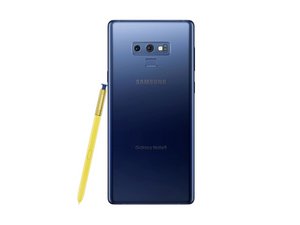

How to replace the flex cable for note 9
my screen displays black but it vibrates and rings when they call me and i can answer even it touches but doesnt display and i think i need to replace the flex cable
좋은 질문입니까?
점수
0
my screen displays black but it vibrates and rings when they call me and i can answer even it touches but doesnt display and i think i need to replace the flex cable
좋은 질문입니까?
평판: 101.6k
 160
160
 89
89
 157
157
Sorry to tell you, but your phone doesn't have a replaceable flex cable for the screen. If there's an issue with it, the only cure is to replace the entire screen. However, your description of the problem is a perfect example of what a failed screen looks like. As such, your best bet is to replace the screen anyway.
On your phone, as it is with most Samsung phones, there are two ways to install a new screen. The correct and recommended way is to replace the screen+midframe as a single assembly. You buy the screen already attached to the midframe, then essentially transfer all of the internal parts from your old phone to the new assembly. This guide shows how to do that replacement.
Samsung Galaxy Note9 Display Assembly Replacement - iFixit Repair Guide
The other way to do it is to replace only the display without the midframe. The screen alone is only slightly cheaper than a screen+frame assembly, but you'll make up for that by having to buy glue or adhesive to fix the new screen onto your phone. The replacement procedure is completely different from the first method and requires a different set of instructions. iFixit doesn't have a step by step written guide, but they do have a video guide that has everything you need to know.
Samsung Galaxy Note9 Screen Replacement - iFixit Repair Guide

안내서
난이도:
조정
—
40 minutes - 2 hours

안내서
난이도:
조정
—
1 - 3 hours
이 답변이 도움이 되었나요?
지난 24시간: 1
지난 7일: 15
지난 30일: 30
전체 시간: 272

