
주요 콘텐츠로 건너뛰기
수리 커뮤니티 가입 - 계정 만들기

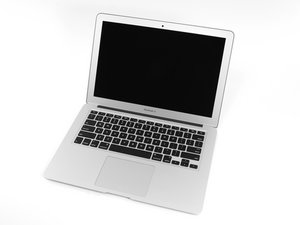
2014년 4월에 출시된 Apple의 13" MacBook Air 업데이트 모델은 새로운 듀얼 코어 i5 및 i7 프로세서를 탑재했으며, 배터리 사용 시간이 약간 증가했습니다.

New hard drive not detected

I just purchased a new hard drive, and it is listed as being compatible with my Early 2014 Macbook Air. When I put the old hard drive back in, it works fine. I do see that the old hard drive is 3.3V -- 2.1A, and the new hard drive is 3.3V -- 1.2A.

When I boot off my Time Machine backup drive and open Disk Utility, the new disk is not there at all.

I have reset NVRAM and SMC, but neither helped.

Here is the HD bundle I am trying to use: MacBook Pro and MacBook Air (Mid 2013 to Early 2015) Blade SSD Upgrade Bundle

Upgrade your MacBook Pro or MacBook Air with a new SSD to dramatically speed up your machine, and use your original SSD in an external enclosure. 이미지

제품

MacBook Pro and MacBook Air (Mid 2013 to Early 2015) Blade SSD Upgrade Bundle

$278.99

이 질문에 답하기 저도 같은 문제가 있습니다

좋은 질문입니까?

점수 0
댓글 달기

답변 1개

Yep! A common issue when your system was running Sierra Vs High Sierra which carries two needed updates, the first is an updated firmware to support 3rd party SSD's (and even Apples newer drives) as well as the newer file system migrating from HPF+ to APFS.

With your old drive create a bootable USB thumb drive (32GB) by downloading from Apples servers Catalina (10.15.x) running the installer aimed at the USB drive then after rebooting copy the installer to it, swap your drives again and using the USB thumb drive boot up and prep the new drive.

이 답변이 도움이 되었나요?

점수 0

댓글 2개:

I upgraded directly from Sierra to Big Sur. Will that not update the firmware as well? Should I restore back to Sierra and upgrade to Catalina first?

의

@shawnrahl Personally if and when I have a system running Sierra (& older) I will do all the necessary Security Updates then update to High Sierra, update the Security Updates, then to Mojave, Then to Catalina, then to Big Sur (Doing all the Security Updates in between) This is indeed time consuming, but I think it is best to be sure that all the needed firm wares etc are installed prior to updating systems. The Catalina installer on a USB requires 8.4 GB in total and can also be done with a 16 GB USB. Sierra (5.35 GB) High Sierra (5.5 GB) Mojave (6.12 GB) Catalina (8.4 GB) Big Sur (13.55 GB). These are the partition sizes I have created on an external drive that includes every installer from Lion to the current release and I have never encountered any issues when clean installing from it. Hope this helps.

의

댓글 달기

답변을 추가하세요

shawnrahl 영원히 감사할 것입니다.
조회 통계:

지난 24시간: 0

지난 7일: 0

지난 30일: 16

전체 시간: 187
