수리 안내서
자사의 단계별 안내서로 무엇이든 수리하는 법을 배워보십시오.
앱
주머니 수리 도우미.
FixBot
친절한 AI 수리 도우미.
수리 용이성
수정 가능한 제품이 적합한 이유를 알아보세요.
분해도
최신 기기의 내부를 살짝 들여다 보십시오.
답변 포럼
해결책을 공유하고 친구로부터 도움을 받으십시오.
커뮤니티 찾기
팀, 이벤트, 동료 수정자를 찾아보세요.
도움말
수리 지식을 누구나 무료로 이용할 수 있도록 도와주세요.
Right to Repair
자가 수리 권리 운동에 대해 알아보고 이 권리를 지지하는 방법을 알아보세요.
추천
평생 보증이 적용되는 고품질 부품 및 도구.
도구
다양한 정밀 도구를 구입하세요.
부품
품질 보증된 부품들을 구입하세요.
iPhone 배터리
테스트를 거쳐 보증된 배터리와 필요한 모든 것이 포함된 키트를 제공합니다.
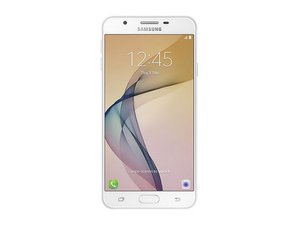
2016년 9월 출시. 모델 번호 SM-G610로 식별
J7 prime @j7prime41875
평판: 1
게시됨: 2025년 9월 1일
My phone does not detecting SIM
좋은 질문입니까?
댓글 1개:
Basic troubleshooting for a Samsung Galaxy J7 Prime not detecting SIM:
1. Test the SIM card in another phone – if it works there, the issue is with your phone.
2. Clean the SIM card and tray – use a dry cloth or a cotton swab with isopropyl alcohol.
3. Restart the phone – sometimes the SIM is detected only after reboot.
4. Check SIM settings – go to Settings → Connections → SIM card manager.
5. Try another SIM card – to rule out a faulty SIM.
6. Software – update the phone, or perform a factory reset (back up data first).
7. Hardware – if none of the above works, the SIM reader may be worn out or defective. Fixing it requires replacing the SIM slot or motherboard.
Markus Norstrøm 의 2025년 9월 1일
지난 24시간: 0
지난 7일: 9
지난 30일: 15
전체 시간: 130


Basic troubleshooting for a Samsung Galaxy J7 Prime not detecting SIM:
1. Test the SIM card in another phone – if it works there, the issue is with your phone.
2. Clean the SIM card and tray – use a dry cloth or a cotton swab with isopropyl alcohol.
3. Restart the phone – sometimes the SIM is detected only after reboot.
4. Check SIM settings – go to Settings → Connections → SIM card manager.
5. Try another SIM card – to rule out a faulty SIM.
6. Software – update the phone, or perform a factory reset (back up data first).
7. Hardware – if none of the above works, the SIM reader may be worn out or defective. Fixing it requires replacing the SIM slot or motherboard.
Markus Norstrøm 의