주요 콘텐츠로 건너뛰기
수리 커뮤니티 가입 - 계정 만들기

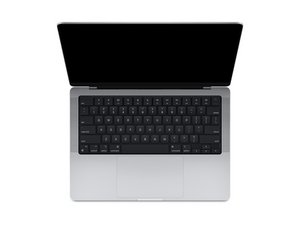
2021년 10월에 처음 출시된 14인치 디스플레이가 장착된 MacBook Pro 모델에 대한 수리 정보입니다.

Disabling Haptics on trackpad

Hi, has anyone found a way to physically disable the Haptic actuator on the trackpad of the Macbook Pro M4? I am thinking about returning it unless I can find a way. The trackpad experience is awful because the haptics make the whole case rattle and feel tinny, even on the lightest setting.

이 질문에 답하기 저도 같은 문제가 있습니다

좋은 질문입니까?

점수 0
댓글 달기

답변 2개

가장 유용한 답변

You might want to try this tool: https://github.com/shalamand3r/SlabPad

It’s a small utility that disables the Force Touch haptic feedback on MacBook trackpads, which can stop the rattly/tinny feeling while still letting you press to click. Might be worth trying before returning the laptop.

이 답변이 도움이 되었나요?

점수 1

댓글 3개:

Of course look at GitHub for the answer!

This is SO helpful! Thank you! This is exactly the kind of app I was looking for. This solved the terrible, tinny haptic feeling.

So glad it helped!!!

댓글 달기

I would recommend you bring the system to an Apple Store for them to checkout. It sounds like yours has a problem. It shouldn't cause the whole case to rattle or feel tinny.

So while one can kill it it's not someing I recommend as you would need to replace it to get it working again.

이 답변이 도움이 되었나요?

점수 0
댓글 달기

답변을 추가하세요

Luke L 영원히 감사할 것입니다.
조회 통계:

지난 24시간: 1

지난 7일: 12

지난 30일: 72

전체 시간: 178

