주요 콘텐츠로 건너뛰기
수리 커뮤니티 가입 - 계정 만들기

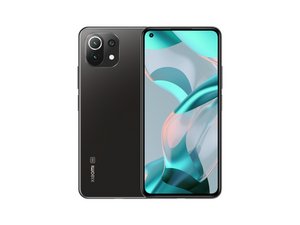
Xiaomi Mi 11 Lite 5G NE는 2021년 9월에 출시된 Xiaomi의 중급형 스마트폰입니다. 6.55인치 AMOLED 디스플레이, 64MP 후면 카메라, 측면 지문인식 센서, 4250mAh 배터리를 탑재했으며 Snapdragon 778G로 구동됩니다.

How to reconnect screen cable

My xiaomi 11 lite 5g ne sometimes the screen went black and showed green vertical lines. When I pressed near the front camera, the screen worked again normally with no issues in touch or colors.

But after the last time my phone fell, the screen turned off completely. I tried pressing the same spot (this time with more force), and the screen worked again for about 2 minutes, then went black permanently. Now it doesn’t respond no matter how much I press.

Could this mean the display cable got disconnected? If yes, how can I fix this problem?

답변되었습니다! 답변 보기 저도 같은 문제가 있습니다

좋은 질문입니까?

점수 0
댓글 달기

답변 1개

선택된 해법

This sounds like a problem with the delicate connections between the glass that the display circuits are printed on and the flex cable leading to the motherboard. Unfortunately, those connections are not considered repairable (at least, not without equipment costing several thousand dollars), so the only real solution is to replace the screen.

This guide shows how to replace the screen+frame assembly on your phone.

Manuales / Xiaomi Mi 11 Lite 5G / Fullscreen - Nadie Me Llama Gallina

이 답변이 도움이 되었나요?

점수 2
댓글 달기

답변을 추가하세요

unknown account 영원히 감사할 것입니다.
조회 통계:

지난 24시간: 0

지난 7일: 7

지난 30일: 37

전체 시간: 375