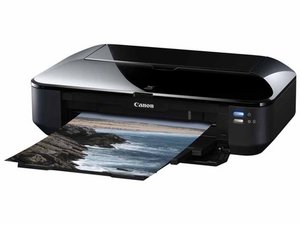

It keeps saying error code 707
It keeps saying error code 707
좋은 질문입니까?
점수
0
평판: 10.4k
 193
193
 13
13
 47
47
Canon site doesn't list error code 707 that I could find, however another source says:
"Error code 707 typically indicates a problem with the ink cartridge or print head."
To fix it try removing and re-seating the ink cartridges, ensuring they are properly installed. Then restart it.
Good Luck.
By the way, if you have an empty cartridge it will not print regardless of whether the color is or isn't actually needed for example if you have black ink and the image is NOT color, it still won't print. Too, if you have replaced the cartridge with a non-canon cartridge or refilled it, it may also cause problems, older ones will work, many newer ones will not. Newer printers won't even allow you to use such cartridges or ink at all and some won't work even if the ink is present and from the manufacturer but not "in date" as in you must subscribe to buy ink at a set interval and outside the time constraints a perfectly functional cartridge will no be "allowed" to print. this is a growing problem as companies follow the Apple model of screwing the consumer. Be VERY careful buying a new printer these days.
이 답변이 도움이 되었나요?
지난 24시간: 0
지난 7일: 5
지난 30일: 17
전체 시간: 208

