
주요 콘텐츠로 건너뛰기

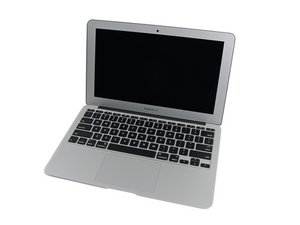
MacBook Air 11"의 2015년 3월 업데이트는 5 세대 Intel Core i5 및 i7 프로세서를 장착하고 배터리 성능이 약간 향상되었습니다.

Trackpad suddenly not clicking

Hi, so I’ve had this laptop for over a decade and I’m determined to keep using it until it literally explodes, so a few weeks ago I got a replacement battery from here & installed it. It’s been great & I haven’t had any issues, but today I went to use it as usual and suddenly my trackpad wasn’t clicking. I could double tap & move the mouse but the actual click sensation is gone. I spent an hour troubleshooting, restarting the computer & reinstalling the battery but the problem persists & diagnostics turns up nothing. Any suggestions would be appreciated, thanks!

답변되었습니다! 답변 보기 저도 같은 문제가 있습니다

좋은 질문입니까?

점수 0
댓글 달기

답변 1개

선택된 해법

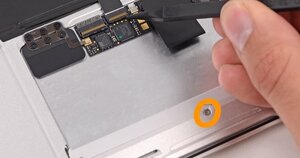
You could try to adjust the small screw that sets the trackpads position located at the lower center of the case (It is hard to miss) to see it that helps, failing that remove the trackpad and give the edges and the case edges a good clean up, then reinstall it. Check also the cable that connects to the logic board, these can become creased or suffer damaged pins quite easily. Trackpads can fail over time so if the first options didn't solve it then it would likely need a fresh trackpad and cable.

Block Image

MacBook Air 11" Early 2015 Trackpad Replacement

이 답변이 도움이 되었나요?

점수 0

댓글 2개:

Thanks! I messed with the trackpad screw for a few minutes with the display on until I got a tension that worked!

@jets96744 Good to hear :)

댓글 달기

답변을 추가하세요

Jet S 영원히 감사할 것입니다.
조회 통계:

지난 24시간: 0

지난 7일: 0

지난 30일: 6

전체 시간: 48