
Why my pc is loading for long time
Why my computer is loading too much
좋은 질문입니까?
점수
1
평판: 13
 1
1
Why my computer is loading too much
좋은 질문입니까?
평판: 7.8k
5
 6
6
 1
1
If it is loading Windows for a long time, it is likely a drive problem. You may be able to fix that running CHKDSK. I would recommend doing that periodically anyway.
To do that, open a CMD prompt and enter CHKDSK C: /f
It will ask to restart. If there are errors on the drive it will try to fix them and it may take a long time to do it and look like it is hung up. Just wait.....................
You can run that first without the /f to see if it actually finds errors, because if you run it with the /f and reboot, it won't tell you. You don't need to reboot without the /f
I would also run sfc /scannow -- again in a CMD prompt. That will take a while also, but at least it will show the progress.
If that doesn't show errors, try this. Create a txt file. Copy the content below and paste it into the txt file. Change the .txt extension to .reg then dbl click the file to run it. When you startup or shut down Windows will tell you what it is doing when it is shutting down or is booting up. That will give you an idea of what is causing the slow boot.
Windows Registry Editor Version 5.00
[HKEY_LOCAL_MACHINE\SOFTWARE\Microsoft\Windows\CurrentVersion\Policies\System]
"VerboseStatus"=dword:00000001
이 답변이 도움이 되었나요?
평판: 1
3
90% of slow boot times come from startup apps or a dying hard drive.
Check Task Manager → Startup tab → disable anything unnecessary.
If you’re still on an HDD, upgrading to an SSD will make your PC feel brand new.
Seriously, SSDs are the cheat code for slow computers.
이 답변이 도움이 되었나요?
평판: 1
3
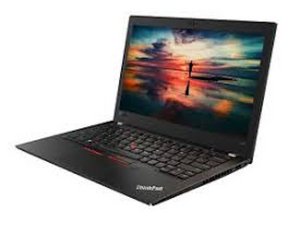
One possible reason your Lenovo ThinkPad is loading too slowly could be too many startup programs running when Windows boots. These background apps consume memory and CPU, causing longer startup times. Disabling unnecessary startup programs can noticeably speed up your PC’s loading time.
이 답변이 도움이 되었나요?
지난 24시간: 0
지난 7일: 4
지난 30일: 27
전체 시간: 334




댓글 2개
@shafiimohamed we need to know the exact behavior when you turn it on. What OS are you using? What does your computer do when you turn it on? Once it loaded the OS does it work Properly? What have you already checked?
oldturkey03 의
احيانا عند الفتح يعطي شاشة setup ولا يعمل الا بعد البطارية أكثر من مره واحيانا لا يعمل بعد يوم
تاج السر البدري 의