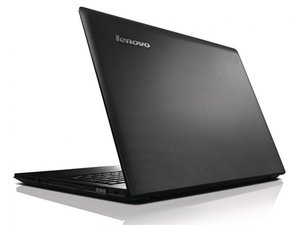

How can I repair when it doesnt load
It always have the circle turning and looks like it cant repair itself
좋은 질문입니까?
점수
0
It always have the circle turning and looks like it cant repair itself
좋은 질문입니까?
평판: 106k
 462
462
 355
355
 191
191
I am going to make an assumption here and say it sounds like Win10/11 is not loading. Do you know if the drive is original, since the G505 is an older unit? If it's original, verify the SMART data: *도입부 안내 필독* 하드 드라이브 진단 및 삭제 - Ubuntu 22.04 LTS 이후 버전 호환성 보장 안 됨 -- Windows 10 and 11 tend to hang on failing drives, whereas Vista-8.x just slowed down so much you knew something bad was going to happen. If the drive passes and it's a spinner, put an SSD in; that will give you breathing room, as later builds of Windows 10 and 11 have been openly optimized for SSDs to such an extent that this has become the norm with a spinning drive, even healthy ones - failing ones just fail to work for much of anything. They work as scratch drives in 10 and up, but booting from them? Good luck, hope you have patience.
If the drive passes and you have an SSD, you'll want to run chkdsk /r and /f -- I don't suggest running both at the same time (chkdsk /r /f) -- run them on their own, as /f remaps the drive and takes hours on end to complete. The other issue with /f is that if there's any corruption in an area where partial corruption is present, it can sometimes patch out that entire section and wipe out unaffected data, and there's no good way to fix it, as /f remaps the drive. Don't use /f unless you have to! Make a bootable drive using this or the MCT: Windows 10/11 - USB 설치 미디어 생성 (Rufus) -- you'll need to switch it to the C drive by entering C:/ in the command prompt (look under Repair your computer>Advanced>Command prompt). /f also risks the death of the drive if it's older, and a mechanical type drive. Yes, this has happened and I HAVE SEEN /f take down borderline failing drives when someone does it without heeding this caution!
If it persists, run SFC /SCANNOW in WinRE. That can generally be run live in WinRE, but chkdsk often wants to restart the PC to ensure the servicing area is fully available.
If neither works, reinstall Wndows or Linux - I wouldn't recommend forcing 11 on this G505 given it's age and complete lack of DCH drivers, so stick to 10 with ESUs or install Linux.

안내서
난이도:
조정
—
6 hours - 1 week

안내서
난이도:
쉬움
—
30 minutes - 1 hour
이 답변이 도움이 되었나요?
지난 24시간: 0
지난 7일: 2
지난 30일: 4
전체 시간: 127

