주요 콘텐츠로 건너뛰기

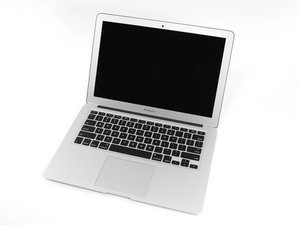
Apple은 MacBook Air 13"를 2017년 6월에 새로운 Broadwell Intel Core i5 프로세서로 업데이트하여 성능과 배터리 수명을 약간 향상시켰습니다.

(Solved) Charging issue (Fading Green Light Only)

Here is a weird one, when we connect ANY charger their is ONLY a green light which will slowly fade out after around 10 seconds from connecting (It does not blink). We have reset the SMC to no avail. There are no signs of any water damage or corrosion under the Michaelscope & the charging port is clean as a whistle..... I don't have at hand a spare I/O board or I/O cable (Until tomorrow anyway) to see if the issue is with this part. The battery is under 100 cycles & in good normal condition and is 100% not the issue here as we have also tested with 2 other good batteries. Upon boot the fan is at full tilt and battery is not charging. Has anyone experienced this before and what can be the cause & cure?

Board # 820-00165

See also Why is there a 'Jumper' wire? For what purpose?

답변되었습니다! 답변 보기 저도 같은 문제가 있습니다

좋은 질문입니까?

점수 0
댓글 1개

@danj Yes it can boot into the OS. My thoughts also point to a faulty SMC.... We will try to check the lines and sensors tomorrow. I think that will solve it, thanks!

Why is there a 'Jumper' wire? For what purpose?

댓글 달기

답변 2개

선택된 해법

This issue often points to a faulty I/O board or charging circuit. Since the green MagSafe light fades after 10 seconds, power isn’t properly reaching the logic board. Try replacing the I/O board or cable once available, as these commonly fail. If that doesn’t help, inspect the SMC power rails and DC-in circuitry on the logic board for voltage irregularities. Also, verify the charger’s wattage matches your MacBook model. Reset the NVRAM/PRAM after repairs. If the fan still spins at full speed with no boot or charging, the logic board power management IC may need professional repair.

이 답변이 도움이 되었나요?

점수 2

댓글 1개:

Zenner Diode D7012 (Voltage Divider) was shot, and is now correctly charging the battery..... but, still getting a fan error in diagnostics & a thunderbolt hardware issue which we are still troubleshooting. Replacing a burned USB Port

댓글 달기

Are you even able to boot up into macOS at all?

As the fan is going full tilt that's a sign SMC is not happy with one or more sensors. Time to trace out the power rails and check the SMC sensor lines.

이 답변이 도움이 되었나요?

점수 1
댓글 달기

답변을 추가하세요

livfe 영원히 감사할 것입니다.
조회 통계:

지난 24시간: 1

지난 7일: 4

지난 30일: 79

전체 시간: 79
