주요 콘텐츠로 건너뛰기

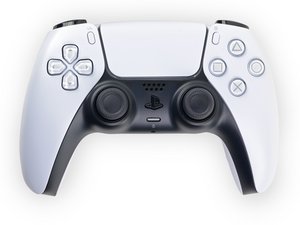
Repair guides, disassembly, and troubleshooting information for the first generation Sony PlayStation 5 DualSense controller, successor to the DualShock series. Identified by model number CFI-ZCT1W and motherboard model BDM-010.

How to remove the L2/R2 holder/bracket?

Block Image

As the title says, how do I remove the internal piece of the L2/R2 button?

I got some new ones to customise my controller but they don't have the internal piece where the metal rod secures the button and I can't figure out how to remove it from my original ones

답변되었습니다! 답변 보기 저도 같은 문제가 있습니다

좋은 질문입니까?

점수 0
댓글 달기

답변 1개

선택된 해법

To remove the DualSense V1 L2/R2 internal bracket, first slide out the metal pivot pin. Then gently flex the two side tabs outward while pushing the bracket upward from the bottom. It will pop out without damage. Reinstall the bracket into the new trigger and reinsert the pin.

이 답변이 도움이 되었나요?

점수 1

댓글 5개:

To add: You can find some more info here: https://www.reddit.com/r/eXtremeRate/com...

Please let me know if you need a video/guide!

Thank you so much for the reply, I am going to try it out and try not to break it.

@dan0 if you have a video/guide it would help a lot! Thank you

I did it! Thank you so much for the help you are life savior!

Ah glad that you got it solved! Sorry for the late response... Have a nice day!

댓글 달기

답변을 추가하세요

Tigloria 영원히 감사할 것입니다.
조회 통계:

지난 24시간: 1

지난 7일: 2

지난 30일: 30

전체 시간: 30