주요 콘텐츠로 건너뛰기
수리 커뮤니티 가입 - 계정 만들기

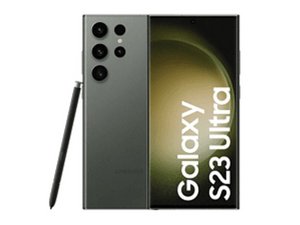
Samsung은 2023년 2월 1일 “Unpacked/언팩트” 행사에서 Galaxy S23 라인업을 발표했습니다. 새로운 Galaxy Book3 및 Galaxy Book3 Pro 시리즈 노트북도 발표되었습니다.

My network is not working properly

My signal keeps going down, sometimes I have no network at all. Have tried reseting network settings, restarting the phone, changing to a new sim and nothing comes to work. What can I do to fix it?

답변되었습니다! 답변 보기 저도 같은 문제가 있습니다

좋은 질문입니까?

점수 2
댓글 2개

Is your phone able to connect to WIFI? Are other people's phones with the same cell provider able to connect with a stronger signal to your cell service?

Yes the wifi works as normal, and also my sister has the same provider as I have but hers works fine

댓글 달기

답변 3개

선택된 해법

On a Samsung S23 Ultra, unstable network after SIM changes usually points to software, carrier, or antenna issues. First, update One UI and Android fully. Then go to Settings → Connections → Mobile networks and set Network mode to 5G/LTE/3G auto. Try turning VoLTE and Wi-Fi Calling off temporarily. Check APN settings with your carrier and reset them if needed. Test the phone in Safe Mode to rule out app interference.

이 답변이 도움이 되었나요?

점수 1

댓글 2개:

I have tried all of does except safe mode as it doesn't show any on my phone

I'm experiencing the same problem and have replaced the SIM card, E-Sim, etc. I've reset the phone to factory settings, but the problem persists. It often says "emergency calls only" and only when I have Wi-Fi does it work halfway decently.

댓글 달기

même problème pour moi
perte régulière du réseau
si je suis chez mes parents, mon S23 ultra posé sur la table a coté du Xiaomi 15T pro de ma femme, le mien 0 barre de signal, celui de ma femme 3 barres.

il ne bascule même pas en 4g, ca me coupe le réseau direct, alors qu'avec mon vieux S9+ aucun problème.

이 답변이 도움이 되었나요?

점수 0
댓글 달기

I’d also check whether the problem is actually the phone or the carrier coverage in the places where it happens. Since you’ve already tried a network reset, another SIM, and restarting, compare the S23 Ultra with another phone using the same carrier from the exact same spot. If the other phone keeps a stable connection while the S23 drops to zero bars, that points more toward the handset, modem firmware, or antenna.

It’s also worth checking which carrier your SIM is actually using and whether that network has reliable coverage in your area. A useful reference is the website because it has guides covering Philippine mobile networks, carrier comparisons, coverage, and network-specific issues. The site is focused specifically on Philippine networks, so its information is most relevant if you’re using a Philippine SIM.

If the issue follows the S23 Ultra regardless of location, I’d run Samsung Members diagnostics and have the phone checked for an antenna or modem fault. If it only happens in certain locations, carrier coverage or local network congestion is much more likely.

이 답변이 도움이 되었나요?

점수 0
댓글 달기

답변을 추가하세요

Kcs 영원히 감사할 것입니다.
조회 통계:

지난 24시간: 15

지난 7일: 107

지난 30일: 538

전체 시간: 2,694
