주요 콘텐츠로 건너뛰기
수리 커뮤니티 가입 - 계정 만들기

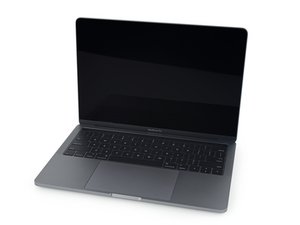
A1708 / EMC 3071—2016년 11월 출시, 이 MacBook Pro 13”는 OLED Touch Bar를 소개합니다. 듀얼-코어 "Skylake" Intel Core i5 CPU 및 Thunderbolt 3 포트 4 개 포함.

Issues with MacBook Pro 2016 screen

Hi. Does anyone know what the issue is?

After using the laptop for awhile, black stripes started to appear across the screen like 1st image (like pixel burn-in) and slowly spread to the whole screen like in the 2nd image. The laptop was still responsive as I could see the mouse movement but basically the whole screen was black.

Block Image
Block Image

If I put the laptop to sleep for awhile and turned it back on, the screen was back to normal but the behavior repeated itself after awhile.

Some other times, the screen stuttered and flickered and became completely black (I couldn't see anything, like the screen is off completely). I had to close the lid and opened for it to back to normal.

이 질문에 답하기 저도 같은 문제가 있습니다

좋은 질문입니까?

점수 0
댓글 달기

답변 1개

가장 유용한 답변

Sadly the T-CON board which drives the LCD panel is failing. The fully display assembly is needed to repair this MacBook Pro 13" Retina (Late 2016-2017) Display Assembly and here's the guide MacBook Pro 13" Touch Bar Late 2016 디스플레이 어셈블리 교체 to prove that connecting to an external display will show the complete image.

A common cause of this is a system which is unable to cool its self effectively so the heat sensitive components on the T-CON degrade. Making sure the dust buildup internally on the logic boards, fan and the heatsink fins can go along way in reducing the issue, likewise heavy gaming without manually overriding the thermal management using a good monitoring App like TG-pro which also allows you to rev up the fans.

Replace a display compatible with a 2016 or 2017 model A1706 or A1708 MacBook Pro 13" Retina laptop. Includes the 2560 x 1600 13.3" Retina LCD Screen, Display Cover, Bezel, FaceTime HD Camera, Clutch Hinges, Display Daughter Board, Cable Spring Mechanism. Part #661-05096. 이미지

제품

MacBook Pro 13" Retina (Late 2016-2017) Display Assembly

$349.99

이 답변이 도움이 되었나요?

점수 1

댓글 2개:

Thanks for the reply. The cost seems expensive for a 10-year-old Macbook. I got this from my family member and I just learnt that they missed out the free repair program that was offered by Apple back in 2021-2022.

Even when I left the Macbook idle and the display on for awhile, the issue still appeared. But the screen showed up fine when I used an external monitor or Airplay to TV. Do you reckon if I only use an external monitor and keep the lid closed, can I extend the display life before it fails completely?

@nganh - Sorry to hear they missed the screen replacement (it wasn't well disclosed). The fact the system works using an external monitor just cements the issue is the T-CON board.

Using the system via an external fully bypasses the internal display. Here you will want a Bluetooth or USB wired keyboard and mouse to use the system as if it were a desktop.

You can continue to use the system that way, only having to lift the lid up to gain access to the power/TouchID button and only loosing the FaceTime camera. If you set the display to be in Mirror mode then the lid can be up. Most people prefer the system to the side and not used the FaceTime camera.

댓글 달기

답변을 추가하세요

Pham Nguyen Anh 영원히 감사할 것입니다.
조회 통계:

지난 24시간: 13

지난 7일: 23

지난 30일: 23

전체 시간: 23
