주요 콘텐츠로 건너뛰기
수리 커뮤니티 가입 - 계정 만들기

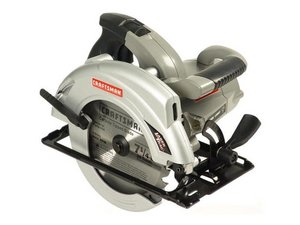
The Craftsman Circular Saw 320.10871 is a power tool designed for cutting various materials such as wood, metal, and plastic. This page provides detailed information and guidance on its features including a depth bracket, base plate, line guide, and fence, as well as instructions for different types of cuts it can perform.

My laser light needs adjusting

How do I adjust the laser light on the saw?

이 질문에 답하기 저도 같은 문제가 있습니다

좋은 질문입니까?

점수 0
댓글 달기

답변 1개

According to my AI buddy, here are the steps to adjust your laser light:

Notes:

  • Use eye protection and avoid looking directly into the laser.
  • If the module is fixed or screws are damaged, replacement of the laser assembly (part in the manual/parts list) may be required.

****************************************************************

Laser adjustment steps

  1. Unplug the saw.
  2. Remove the shoe/bracket access screws if needed to expose the laser module (the laser set sits near the front of the shoe).
  3. Loosen the two small mounting screws that hold the laser housing just enough so the module can pivot.
  4. Plug in and switch on only the laser (do not engage blade), or carefully connect power and activate the trigger briefly while the blade is guarded and away from material.
  5. Clamp a straight reference board to the saw table and position the saw shoe flat; mark the blade kerf line on the board by making a shallow cut or measuring the blade tooth/kerf offset.
  6. With the laser on, adjust the module so the beam aligns with the kerf mark; tighten the mounting screws while holding alignment.
  7. Test with a short cut; re-check and fine-tune.

Safety: wear eye protection, avoid looking into the beam, and ensure blade cannot contact material during adjustment.

이 답변이 도움이 되었나요?

점수 0
댓글 달기

답변을 추가하세요

Maryirene Stevens 영원히 감사할 것입니다.
조회 통계:

지난 24시간: 1

지난 7일: 4

지난 30일: 23

전체 시간: 23