주요 콘텐츠로 건너뛰기
수리 커뮤니티 가입 - 계정 만들기

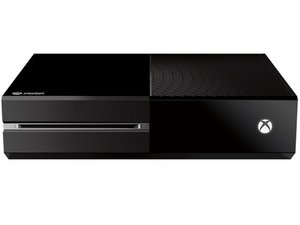
Xbox one throwing error E106 00000009 while booting

When you press the power button, it chimes, it pops up with a loading bar that gets to about 4% and then throws error E106 00000009 80070002 while trying to update using OSU 1 the update gets to 1% then throws E101 00000504 8B050041, the OS version is 26100.7815.amd64fre.xb_flt_2604ge.260414-2200. Any help would be greatly appreciated!

답변되었습니다! 답변 보기 저도 같은 문제가 있습니다

좋은 질문입니까?

점수 1
댓글 달기

답변 3개

선택된 해법

I've got the exact same issue. I believe that the motherboard/bios logs the os version number that was last used. I believe I was part of the insider program. The OSU1 file on the website isn't a preview build. It's public. So when you try and do an offline update, it throws a fit because the version you are trying to update to is lower than what was last installed. I've seen many people have the same issue and simply waiting until the update the file has solved the issue. Did you format the SSD and create a partition on it?

이 답변이 도움이 되었나요?

점수 1

댓글 1개:

Yeah it looks like its just a matter of time

댓글 달기

Hi!

I am not well versed on Xbox One issues, but when looking around I found this iFixit thread on the topic. There seems to be rather mixed result, but if you have not tried it I'd recommend giving their solution a go.

Some additional tips I found is that it could be connected to a hard driver failure, but I am not confident enough in these issues so I'm neither too sure.

I hope that the link might lead you to something new at least.

Good luck,

Cheers

이 답변이 도움이 되었나요?

점수 0

댓글 2개:

The answer in that fixit thread did not work, throws that same E101 error

@timmytheterror Shucks.... then I hope someone else more knowledgeable can chime in with something good...

댓글 달기

This kind of issue on your Xbox One usually comes down to a failed update mixed with a struggling hard drive. The console starts updating, gets a little way in, then crashes out. that’s why you’re seeing those E106 and E101 errors. First, try going into the Startup Troubleshooter (hold Bind + Eject while turning it on) and do a reset, starting with the option that keeps your games. If that doesn’t work, try a full reset. If the offline update (OSU1) still keeps failing right at the beginning even with a fresh download, then the problem is most likely the internal drive starting to fail. At that point, replacing the hard drive (ideally with an SSD) and running the update again is usually what finally fixes it.

이 답변이 도움이 되었나요?

점수 0
댓글 달기

답변을 추가하세요

Timmytheterror 영원히 감사할 것입니다.
조회 통계:

지난 24시간: 5

지난 7일: 20

지난 30일: 64

전체 시간: 259