
 1
1  1
1 How can I add more RAM?
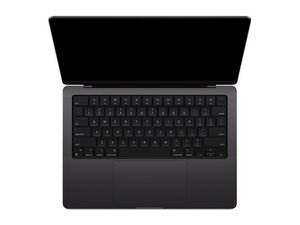
I only have 16 GB of RAM in my computer, but since I want to run AI's I want to have more ram is there a way I can take it apart and add more RAM or replace the ram that is in there with more.
좋은 질문입니까?
점수
1

 8
8 

댓글 3개
Go with @livfe's answer if you don't know how to solder. Don't create the risk of breaking a component when you try to upgrade your MacBook's RAM if you don't know how to solder. But if you do know how to solder, you could at least try.
Theo Grefalda 의
@Theo Grefalda Is there someone that I could send it to to do it?
Because I know how to solder but I do not trust my self enough.
Maverick 의
@madfish89 There is a microsolderer, which is a person that can solder extremely small soldering points. I think that iFixit has microsoldering classes, last time I checked. There is also the robot arm, which can place in those RAM chips (if there are any) with extreme precision. Then there is whole motherboard replacements. You will have to back up your info in the last one if you are willing to replace a whole motherboard. I have a 2012 MacBook Pro that has the Intel Core I5 and the same amount of ram as you do, and it does perfectly fine with the AI.
Theo Grefalda 의