
 33
33  42
42  8
8 Delayed Keyboard Response if anything at all.
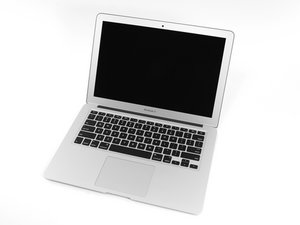
2015 A1466 MacBook Air 1.6 GHz 8 GB RAM
I swapped over the keyboard / TP cable 4x with new parts
Changed 3x complete keyboard assemblies (All with new keyboards)
Using new track pads / Clean install Monterey 12.7.6 and was able to complete setup and all seemed OK but I noticed the keyboard response was delayed...... now next to nothing going on when I reboot and try to login.
Keyboard isn't responding and when it does it is 5 seconds late in displaying 'some' keys. Cables are seated and latched correctly etc. Connector looks clean (I have cleaned it out, no dirt and dust under the microscope) I have even put the SSD into another unit to check the OS, ALL fine!. This is driving me nuts.
Must be a board issue..... but it is working fine other that the KB issue.
It is 100% NOT in the dreaded CPU safe mode state. Any ideas?
UPDATE: It magically fixed itself. (Stuck right side command key!).
좋은 질문입니까?


Try to see if you get the same response from an external keyboard. Also, did you replace the trackpad flex cable? The keyboard actions route through the trackpad and then into the motherboard. Comment back here so we can fix this.
someperson 의
@somerandomguy_1 Read again, 4x new cables, 3x new KB's, etc etc.
livfe 의
@livfe Ah, yes, my bad! I don't know what it could be other than a faulty motherboard connection to the keyboard cable.
someperson 의
@somerandomguy_1 That is my thoughts also.... I can only transfer the board into another shell from a fully functional unit to see if that is the issue... mind blowing this one.
livfe 의
@livfe logic board is a 820-00165? ;-)
oldturkey03 의
댓글 1개 더보기