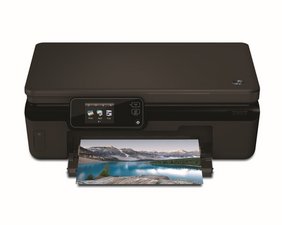

How do I fix the printer display buttons
The buttons on the touch screen panel do not press. There seems to be cork like substance, which has come off in some keys. Could this be the problem?

좋은 질문입니까?
점수
1
평판: 13
 1
1
The buttons on the touch screen panel do not press. There seems to be cork like substance, which has come off in some keys. Could this be the problem?
좋은 질문입니까?
평판: 43
2
If none of the touchscreen buttons respond at all, it might be that the touch panel itself has crashed or broken. Unplug the printer from the power socket for a few minutes. If this doen't work it may be that the display panel itself is failing hardware-wise.
이 답변이 도움이 되었나요?
평판: 1
1
You can replace the control panel by following the instructions to remove the print head, the panel has to be disconnected from the ribbon cable to remove the top part of the case.
Panels are available from places like eBay and AliExpress.
I have just scrapped an HP5520 as its no longer worthwhile to repair, its done 23,000 pages.
I have removed the control panel, which is in excellent condition and will be putting it up on eBay in the UK, the rest of the inside is coated in black ink and dust.
이 답변이 도움이 되었나요?
지난 24시간: 0
지난 7일: 3
지난 30일: 17
전체 시간: 96


