
주요 콘텐츠로 건너뛰기
수리 커뮤니티 가입 - 계정 만들기

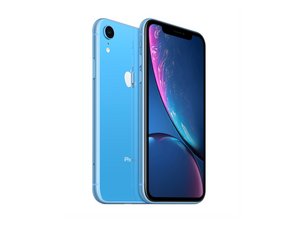
2018년 10월 26일 출시. Models A1984, A2105, A2106, A2108. GSM 또는 CDMA / eSIM, nano-SIM 또는 dual-SIM / 64, 128, 또는 256GB / 검정색, 흰색, 파란색, 노란색, 산호색, 또는 빨간색. ("iPhone 10 R"로 발음합니다.)

iPhone XR microphone issue

Good afternoon. I sent my XR away to have the lower microphone fixed. From what I understand it’s the same part as the charging dock. my reason for sending it for repair was that people couldn’t hear my on cellular calls. But occasionally they could. It arrived back from the repair shop. But I still have the same problem even with a new part fitted. The lower microphone does work on sound recording and Whats app and messager calls. It also works on front and rear video footage. Would anyone know what the issue is please. Thanks

이 질문에 답하기 저도 같은 문제가 있습니다

좋은 질문입니까?

점수 0
댓글 달기

답변 1개

Enabling Microphone Access

To adjust microphone settings for a specific app: [1]

  1. Open the Settings app on your iPhone.
  2. Scroll down and tap Privacy & Security.
  3. Tap Microphone.
  4. A list of apps that have requested access will appear. Toggle the switch to ON (green) for the apps you want to allow. [1, 2]

Alternatively, you can scroll down to the app list at the very bottom of your main Settings page, select the specific app (e.g., WhatsApp), and toggle its Microphone permission on

이 답변이 도움이 되었나요?

점수 0
댓글 달기

답변을 추가하세요

Leigh Scott 영원히 감사할 것입니다.
조회 통계:

지난 24시간: 1

지난 7일: 6

지난 30일: 6

전체 시간: 5