주요 콘텐츠로 건너뛰기
수리 커뮤니티 가입 - 계정 만들기

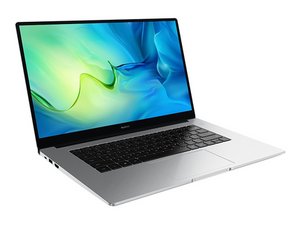
모델 번호 BoB-Wai9로 식별되는 15.6인치 노트북

No Boot Device After Turning On the Secure Boot

Huawei MateBook D 15

I tried to enable Secure Boot.I got the error No Boot Device, I can only go into windows when I disable it. But I need the Secure Boot enabled so I can play Valorant.

When the Secure boot is enabled Bios does see the SSD

Is it a problem with the Windows UEFI do I need to format the PC.

Güncelle (07/21/26)

It does show the asterisk. But I dont have the Bios setting for CSM/Legacy support does not exist in BIOS. I tried to reset the BIOS, nothing changed What should I do?

이 질문에 답하기 저도 같은 문제가 있습니다

좋은 질문입니까?

점수 0
댓글 달기

답변 1개

Hello, it could be a couple of things I can think of, to help find out the cause, boot into Windows with Secure Boot off, open a command window cmd ctrl-shift-enter or just open admin cmd,

type:

diskpart , hit enter

type:

lis dis , hit enter (short for list disk)

check the output, find your disk - in the GPT column for your drive is there an asterisk? If not, then that is why. You would need to investigate mbr2gpt conversion, which can be... a little more tricky, or not!

If your disk is GPT format already, then the culprit could be in BIOS settings, look for Legacy/CSM Support type options, usually they are off when Secure Boot is turned on, but it really depends on the BIOS... (search up your motherboard and BIOS version + secure boot may help?)

이 답변이 도움이 되었나요?

점수 0

댓글 2개:

It does show the asterisk. But I dont have the Bios setting for CSM/Legacy support does not exist in BIOS. I tried to reset the BIOS, nothing changed What should I do?

의

Secure boot in Windows needs the TPM enabled, the GPT format, and a supported CPU. Not familiar with Huawei laptops/BIOS, if no legacy options or CSM then that is not the problem.

The default/reset turns Secure Boot on - No boot device found could point to corrupted EFI, so you could try recreating boot files:

You will need to boot into your windows installer USB, go to Advanced, fire up command prompt and go through the process of recreating your EFI boot files.

eg

diskpart

lis dis (from the list identify your windows drive, usually disk 0)

sel dis 0

lis par

lis vol (find the FAT32 formatted partition + your windows partition, note the drive letter/s, if the boot part doesn't have a drive letter, give it one via:

sel par <number of the FAT32 partition>

assign letter=s (or other unused letter)

exit

(now recreate the boot files with bcdboot:

bcdboot C:\Windows /s s: /f UEFI

(assuming C: and S: but could be different)

If msg says successful, exit, restart. If not, boot partition needs recreating, or other issue

의

댓글 달기

답변을 추가하세요

Eren Günaydın 영원히 감사할 것입니다.
조회 통계:

지난 24시간: 0

지난 7일: 8

지난 30일: 53

전체 시간: 135
