주요 콘텐츠로 건너뛰기
수리 커뮤니티 가입 - 계정 만들기

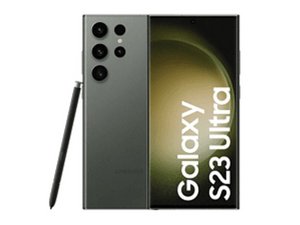
Samsung은 2023년 2월 1일 “Unpacked/언팩트” 행사에서 Galaxy S23 라인업을 발표했습니다. 새로운 Galaxy Book3 및 Galaxy Book3 Pro 시리즈 노트북도 발표되었습니다.

Broken battery pull tab; Safe ways to pry out battery?

​I tried replacing the battery using the iFixit kit (without isopropyl alcohol). Whilst trying to pull out the old battery, the blue pull tab snapped, and I’m a bit hesitant to use a prying tool.

​I’ve closed everything back up for now and will buy a bottle of isopropyl alcohol.

​Could I get some tips on prying out the battery safely without damaging it?

이 질문에 답하기 저도 같은 문제가 있습니다

좋은 질문입니까?

점수 0
댓글 달기

답변 1개

Hi @keralite

I find the best way to do this is to apply a line of Isopropyl Alcohol 99%+ along one side edge and the bottom edge of the battery, using an 18G blunt tip dispensing syringe,¹ allow the alcohol a few minutes to soften the adhesive and then gently, use a pry tool to lift the battery up a small bit.

Then apply some more alcohol under the slightly raised edge of the battery, wait for the adhesive to soften a bit and then pry the battery up further and so on until it is completely removed from the case.

Notes:

¹ Examples only. You could always ask your local pharmacist if they have anything suitable that you could use. Just explain what you want to do with it ;-)

Do not attempt to remove the battery all at once. Raise it a bit at a time.

Do not use a metal pry tool as you may easily puncture the battery. Old credit cards or guitar picks can work if you don't have a plastic spudger.

Remember to disconnect the battery cable from the systemboard before commencing the removal procedure and to dispose of the old battery responsibly at a hazardous waste collection point in your location.

이 답변이 도움이 되었나요?

점수 0
댓글 달기

답변을 추가하세요

Abhishek K 영원히 감사할 것입니다.
조회 통계:

지난 24시간: 0

지난 7일: 18

지난 30일: 20

전체 시간: 20
