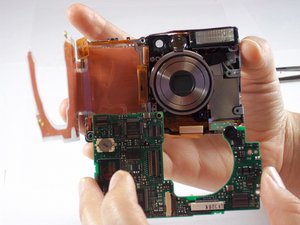
디스플레이 스크린
이 번역은 기계에 의해 생성되었으며, 아직 사람이 검토하지 않았습니다. 이 언어를 구사하시나요? 검토하기.

질문이 없습니다. 가장 먼저 질문해보세요!
해당 기기를 고치는데 사용하는 일반 도구들 입니다. 매 절차에 모든 도구를 사용하지는 않습니다.
Canon PowerShot S230 문제해결 안내서를 사용하여 다양한 하드웨어 문제를 파악하세요.
카메라 전면의 문구를 보고 Canon PowerShot S230인지 확인하세요. 렌즈 왼쪽에는 "PowerShot S230 Digital ELPH"라는 문구가 있어야 하며, 렌즈 주변에는 "Canon Zoom Lens 5.4 - 10.8 mm 3.2 Mega Pixels"라는 문구가 있어야 합니다.
또한 Canon USA 웹사이트에서 제공하는 다음 정보를 사용하여 카메라를 식별할 수 있습니다.
이 기기는 Canon에서 출시한 PowerShot S 시리즈 제품입니다. 내장 플래시, 2배 광학 줌 및 3.2배 디지털 줌을 지원합니다. 이 카메라는 3.2 메가픽셀, 1.5인치 LCD 화면을 갖추고 있으며 동영상 및 사진 효과를 제공합니다. 또한 버블젯 다이렉트(Bubble Jet Direct), Exif 인쇄 형식 및 다이렉트 프린트 기능이 탑재되어 있습니다.
Canon PowerShot S230 Amazon 웹페이지
지난 24시간: 5
지난 7일: 11
지난 30일: 52
전체 시간: 7,257