주요 콘텐츠로 건너뛰기
수리 커뮤니티 가입 - 계정 만들기

Battery Replacement

필요한 것

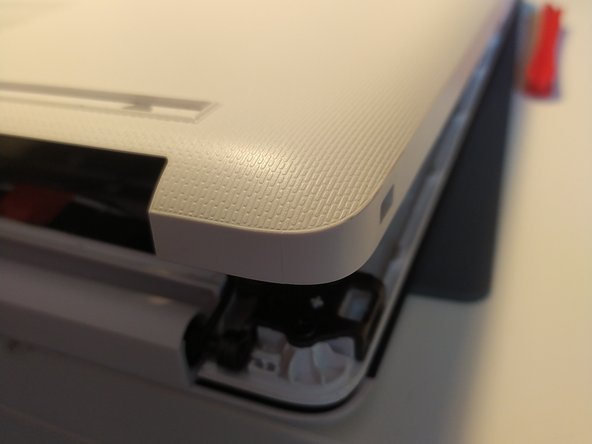
  1. Battery Replacement, removal of bottom case: 1 단계, 이미지 2개 중 1개 Battery Replacement, removal of bottom case: 1 단계, 이미지 2개 중 2개
    • remove the feet with a spudger

  2. Battery Replacement: 2 단계, 이미지 2개 중 1개 Battery Replacement: 2 단계, 이미지 2개 중 2개
    • Remove the 11 screw with a PH0 screwdriver.

    • The screws are identical

  3. Battery Replacement: 3 단계, 이미지 2개 중 1개 Battery Replacement: 3 단계, 이미지 2개 중 2개
    • Insert a spudger between the bottom cover and the keyboard module, then go around the whole cover to uncip everything.

    • Remove the bottom cover from the computer.

  4. Battery Replacement: 4 단계, 이미지 1개 중 1개
    • You now have acces to the inside of the machine.

  5. Battery Replacement, Battery: 5 단계, 이미지 1개 중 1개
    • Remove the 3 screws that keep the battery in place, using a Phillips screwdriver.

  6. Battery Replacement: 6 단계, 이미지 1개 중 1개
    • Disconnect the battery by gently lifting it.

    • Don't lift the battery too forcefully! It is held together by notches on the opposite side of the connector.

    • Pull the battery toward the top of the computer to dislodge it.

결론

To put your device back together, follow the instructions in reverse order.

다음 번역가들에게 특별히 감사 드립니다:

fr en

100%

이 번역인들은 저희가 세상을 수리하는 데 도움을 주고 있어요! 기여하시겠습니까?
번역 시작하기 ›

작성자

1다른 기여자 명과 함께

Léo FRAYSSE

회원 가입일: 09/03/18

1,426 평판

안내서 6개를 작성함

0가이드 댓글

댓글 쓰기

조회 통계:

지난 24시간: 0

지난 7일: 11

지난 30일: 35

전체 시간: 413