소개
Replace the flash of the Canon PowerShot SX50 HS.
필요한 것
-
-
-
Locate the battery compartment on the bottom of the camera.
-
Push the latch on the outside of the battery door to the right to get to the battery pack inside.
 FixBot에 문의하기
-
-
-
Pull the brown latch on the inside of the battery door towards your palm (to the left). The battery pack should pop out (battery not pictured).
-
Now remove the battery pack from the camera with your fingers.
-
-
-
-
-
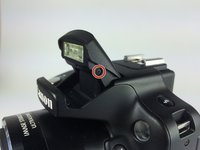
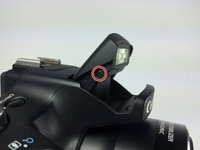
Lift up the flash as you would when using and activating the flash.
-
-
-
-
Remove the two Phillips #000 screws, length 3 mm, on both sides of the flash.
-
-
-
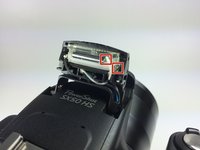
Pull off the back encasement of the flash with your fingers. The internals will now become visible.
-
-
-
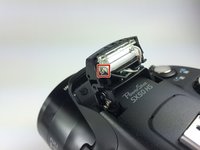
Locate the black, white and the beige wires. Desolder these wires at the point of connection with the bulb.
-
See the guide on this link for soldering and desoldering.
-
-
-
Once the wires have been desoldered, pull the flash out of its casing.
-
Remove one end of the rubber band holding the bulb in place.
-
Slide the bulb out of the flash.
-
-






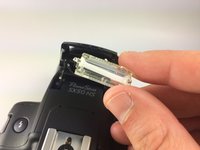
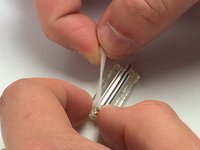
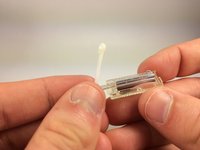


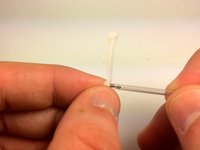
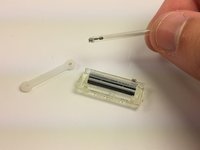
To reassemble your device, follow these instructions in reverse order.
다른 2명이 해당 안내서를 완성하였습니다.

팀

Cal Poly, Team 12-7, Lancaster Spring 2015 Cal Poly, Team 12-7, Lancaster Spring 2015 회원
CPSU-LANCASTER-S15S12G7
5 회원들
안내서 10개를 작성함
5가이드 댓글
Hello! excellent explanation . Thank you very much! I have a question : could you tell me where I can buy the replacement lamp ? I already tried searching online but can not find anywhere that sells it. Thank you very much , greetings !
German Witt - 답글 공유
I need a bulb, no one can tell where you can find a bulb, and it says no parts needed. that's stupid since you need a replacement bulb that you can't find. without it all this is useless.
buborek1974 - 답글 공유
