주요 콘텐츠로 건너뛰기

Computer King Muffin Kinder 7 Battery Replacement

필요한 것

  1. Computer King Muffin Kinder 7 Battery Replacement, Battery: 1 단계, 이미지 2개 중 1개 Computer King Muffin Kinder 7 Battery Replacement, Battery: 1 단계, 이미지 2개 중 2개
    • Use the plastic opening tool help push out the microSD card from the microSD slot.

  2. Computer King Muffin Kinder 7 Battery Replacement: 2 단계, 이미지 1개 중 1개
    • Use the plastic opening tool to unclip the plastic front from the plastic back. Use the MicroSD slot to initially start the unclipping.

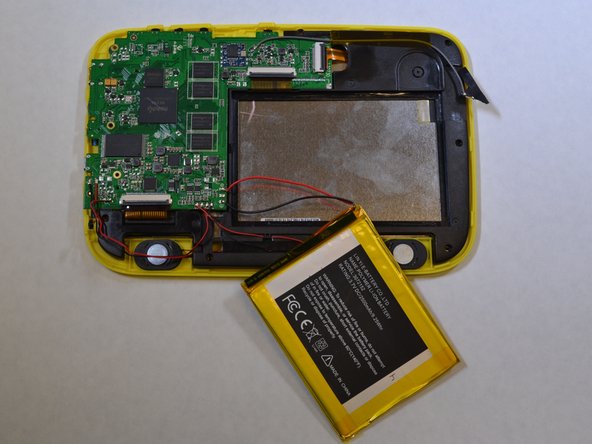
  3. Computer King Muffin Kinder 7 Battery Replacement: 3 단계, 이미지 2개 중 1개 Computer King Muffin Kinder 7 Battery Replacement: 3 단계, 이미지 2개 중 2개
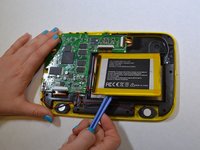
    • The battery is glued onto the black plastic. Use the plastic opening tool to pry the battery from the black plastic.

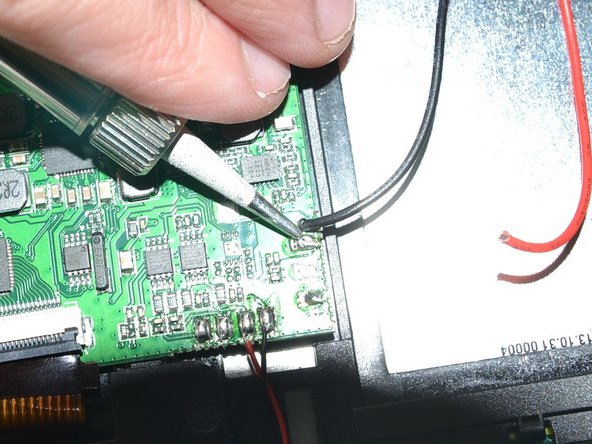
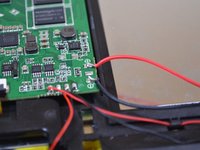
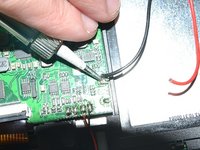
  4. Computer King Muffin Kinder 7 Battery Replacement: 4 단계, 이미지 2개 중 1개 Computer King Muffin Kinder 7 Battery Replacement: 4 단계, 이미지 2개 중 2개
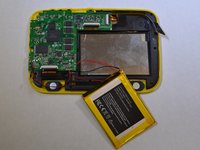
    • Unsolder the red and black wires that are connected to the battery from the logic board using a soldering iron.

    • Tips on how to solder can be found here.

결론

To reassemble your device, follow these instructions in reverse order.

다른 한 분이 해당 안내서를 완성하였습니다.

작성자

4다른 기여자 명과 함께

Katherine

회원 가입일: 01/22/15

439 평판

안내서 3개를 작성함

UWT Liner: Group 2 UWT Liner: Group 2 회원

Community

4 회원들

안내서 7개를 작성함

0가이드 댓글

댓글 쓰기

조회 통계:

지난 24시간: 0

지난 7일: 4

지난 30일: 8

전체 시간: 447