소개
This guide is a replacement guide for the propellers on the DROCON Ninja DC-014 drone. The propellers are the part of the device that spins, which allows the drone to fly. If the blades are chipped or bent they may need to be replaced. To determine if the propeller needs replacement check out the troubleshooting guide linked here. You will not need any tools for this guide and there are no difficult steps required.
-
-
To turn the drone off, press and hold the black button on the top of the drone until all lights are off.
-
Firmly grasp the battery tab between your thumb and index finger.
-
Pull the battery away from the drone's body
 FixBot에 문의하기
-
-
-
-
Firmly grasp the blade guard from the bottom of the drone
-
Pull the blade guard straight down away from motor.
-
-
-
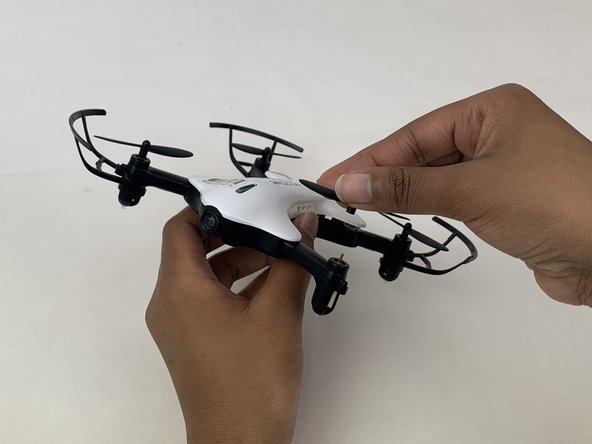
Grasp the center of the propeller that needs to be replaced.
-
Pull the propeller directly up and away from the motor.
-


To reassemble your device, follow these instructions in reverse order.
다른 2명이 해당 안내서를 완성하였습니다.

팀

Embry-Riddle Aeronautical University, Team S3-G5, Watkins Spring 2020 Embry-Riddle Aeronautical University, Team S3-G5, Watkins Spring 2020 회원
ERAU-WATKINS-S20S3G5
4 회원들
안내서 5개를 작성함
4가이드 댓글
can we buy an extra battery?
can we buy an extra battery for the roconDC-014
hi i have the red & bleu drocon dc-014 & wold like to order the white drocon dc-014 white drone or white body cover
tank you! & happy new year!!!
i both drocon dc-014 blue & red wold like by the white drocon dc-014 or uper casse
