소개
Use this guide to replace a broken battery. Your battery may be broken if your computer will only turn on when it is connected to the charger, but please refer to our Troubleshooting Guide for more information.
필요한 것
-
-
Remove the battery by flipping the two switches under the battery and pulling it out
 FixBot에 문의하기
-
-
-
-
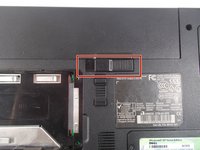
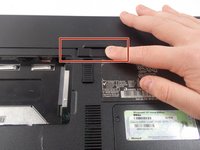
Push the tab from the battery, downwards to unlock the battery.
-
The tab should be in the position next to the unlocked indicator.
-
-
-
Now, push the other tab (the one right under the battery) from right to left.
-
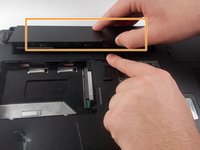
Now the battery will be loose; lift the battery up and out of the computer.
-


To reassemble your device, follow these instructions in reverse order.
다른 한 분이 해당 안내서를 완성하였습니다.

팀

UMass Dartmouth, Team 1-8, Catania Fall 2016 UMass Dartmouth, Team 1-8, Catania Fall 2016 회원
UMASSD-CATANIA-F16S1G8
3 회원들
안내서 9개를 작성함
