소개
Use this guide to replace a full or faulty battery in your Garmin StreetPilot c330
The Garmin StreetPilot c330 is a device that comes with automatic route calculation to any destination, and turn-by-turn voice-prompted directions. If your Garmin StreetPilot c330 no longer stays turned on if unplugged despite being charged for a reasonable amount of time. This is usually a sign of an old or damaged battery. In this case, replacement is necessary.
Before using this guide, make sure to review the troubleshooting page—oftentimes, problems with loose charging cables or damaged charging cables could cause a problem.
A punctured battery can cause a dangerous fire. If your battery is swollen, take appropriate precautions.
Make sure to power down your device before you begin.
필요한 것
-
-
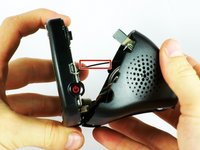
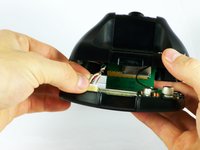
At the top of the outer frame, insert the plastic spudger into the groove in the center.
-
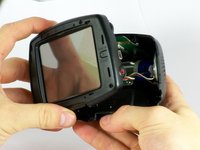
Lever the frame gently until it pops out of the case.
-
-
-
-
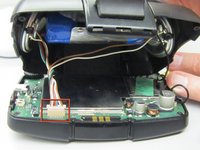
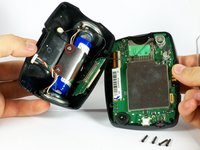
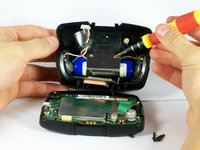
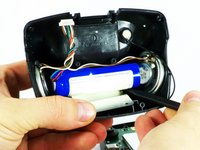
Carefully peel the metal bracket away from the battery.
-
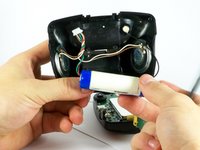
Pull the battery away from the back cover.
-
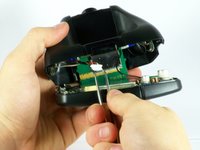
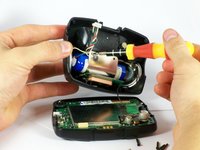
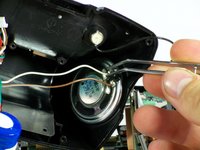
Desolder the wires from the speakers using a soldering iron.
-








To reassemble your device, follow these instructions in reverse order.
다른 한 분이 해당 안내서를 완성하였습니다.



팀

Cal Poly, Team 22-1, Maness Fall 2010 Cal Poly, Team 22-1, Maness Fall 2010 회원
CPSU-MANESS-F10S22G1
3 회원들
안내서 4개를 작성함
