소개
The HEPA filter unit is the main unit through which the GermGuardian AC4825E purifies the air. The unit consists of two components: the black charcoal filter screen that catches most forms of blockage, and the air intake behind the screen.
When the GermGuardian AC4825E has detected an issue with the HEPA filter unit, the filter change indicator near the control panel on the top of the purifier flashes red. Issues with the filter unit typically result in excessive noise or inefficient circulation of air. This often means that it is time to replace the HEPA filter unit. This guide will demonstrate the removal process for the filter unit.
Generally speaking, the HEPA filter unit should be replaced every six months to maintain the life and efficiency of the purifier.
-
-
-
Check if the purifier's power cord is plugged into an electrical outlet.
-
If it is plugged in, unplug the power cord.
 FixBot에 문의하기
-
-
-
-
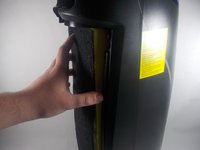
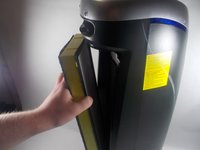
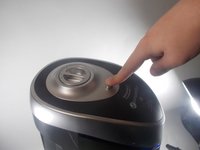
Grab the rear cover of the purifier with one finger on the Lock and Release button.
-
Press the button down, and pull the rear cover away from the purifier.
-
-


To reassemble your device, follow these instructions in reverse order.

팀

UMass Dartmouth, Team 2-1, Mellen Spring 2022 UMass Dartmouth, Team 2-1, Mellen Spring 2022 회원
UMASSD-MELLEN-S22S2G1
4 회원들
안내서 2개를 작성함
