주요 콘텐츠로 건너뛰기

HMD Pulse+ Back Cover Replacement

필요한 것

  1. HMD Pulse+ Back Cover Replacement, Prepare your phone for disassembly: 1 단계, 이미지 1개 중 1개
    • Let your phone's battery drain below 25% before starting this repair. A charged lithium‑ion battery may catch fire if damaged.

    • Unplug all cables from your phone and completely power it down.

  2. HMD Pulse+ Back Cover Replacement, Remove the SIM card tray: 2 단계, 이미지 3개 중 1개 HMD Pulse+ Back Cover Replacement, Remove the SIM card tray: 2 단계, 이미지 3개 중 2개 HMD Pulse+ Back Cover Replacement, Remove the SIM card tray: 2 단계, 이미지 3개 중 3개
    • Firmly press a SIM eject tool, bit, or straightened paper clip into the SIM card tray hole on the left edge of your phone until the tray ejects.

    • Remove the SIM card tray.

    • During reassembly, use the tray's markings to orient and reinsert it properly.

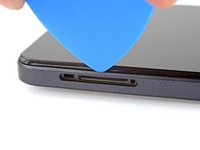
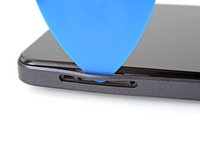
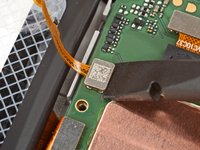
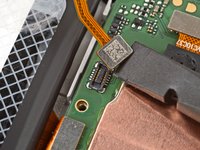
  3. HMD Pulse+ Back Cover Replacement, Separate the back cover: 3 단계, 이미지 2개 중 1개 HMD Pulse+ Back Cover Replacement, Separate the back cover: 3 단계, 이미지 2개 중 2개
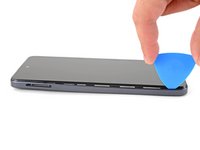
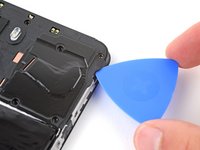
    • Insert the tip of an opening pick between the back cover and frame, at the SIM card tray cutout.

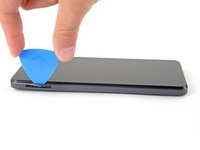
  4. HMD Pulse+ Back Cover Replacement: 4 단계, 이미지 3개 중 1개 HMD Pulse+ Back Cover Replacement: 4 단계, 이미지 3개 중 2개 HMD Pulse+ Back Cover Replacement: 4 단계, 이미지 3개 중 3개
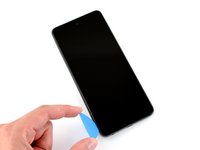
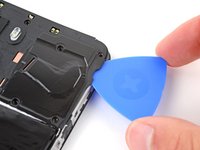
    • Position the opening pick straight down and slide it along the left edge to begin unclipping the back cover.

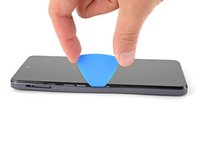
  5. HMD Pulse+ Back Cover Replacement: 5 단계, 이미지 3개 중 1개 HMD Pulse+ Back Cover Replacement: 5 단계, 이미지 3개 중 2개 HMD Pulse+ Back Cover Replacement: 5 단계, 이미지 3개 중 3개
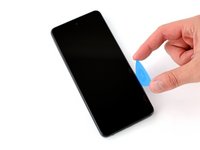
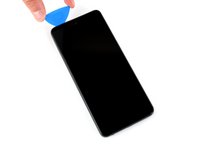
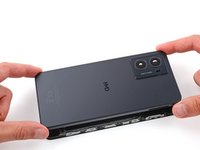
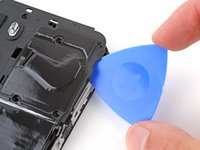
    • Continue sliding the pick around the perimeter of your phone until the back cover is fully unclipped.

    • The corners can be tricky to unclip and may take some force. If you're having trouble, try prying up with the pick.

    • Don't try to fully remove the cover yet, as a delicate cable still connects it to your phone.

  6. HMD Pulse+ Back Cover Replacement: 6 단계, 이미지 3개 중 1개 HMD Pulse+ Back Cover Replacement: 6 단계, 이미지 3개 중 2개 HMD Pulse+ Back Cover Replacement: 6 단계, 이미지 3개 중 3개
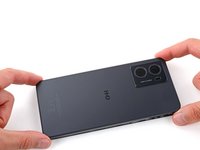
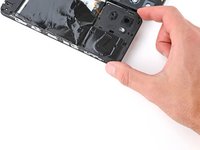
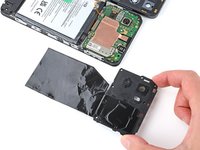
    • Carefully flip your phone over so the back cover is facing up.

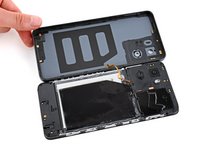
    • Lift the back cover off the frame and flip it over the left edge of your phone, laying the cover flat on your work surface.

    • Be very careful not to strain the back cover's delicate cable.

    • During reassembly, place the back cover onto the frame and firmly squeeze around the perimeter to reengage all the clips.

  7. HMD Pulse+ Back Cover Replacement, Remove the motherboard cover: 7 단계, 이미지 2개 중 1개 HMD Pulse+ Back Cover Replacement, Remove the motherboard cover: 7 단계, 이미지 2개 중 2개
    이 단계에 사용된 도구:
    Tweezers
    $4.99
    • Be very careful not to puncture the battery with your screwdriver.

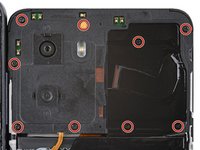
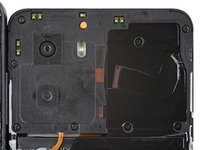
    • Use a Phillips screwdriver to remove the nine 3.6 mm‑long screws securing the motherboard cover.

    • The screw near the center of the top edge is covered by a sticker. Pierce through it with your screwdriver, or use tweezers to remove it.

  8. HMD Pulse+ Back Cover Replacement: 8 단계, 이미지 3개 중 1개 HMD Pulse+ Back Cover Replacement: 8 단계, 이미지 3개 중 2개 HMD Pulse+ Back Cover Replacement: 8 단계, 이미지 3개 중 3개
    • Insert an opening pick between the right edge of the motherboard cover and frame.

    • Twist the pick to fully unclip the cover.

  9. HMD Pulse+ Back Cover Replacement: 9 단계, 이미지 2개 중 1개 HMD Pulse+ Back Cover Replacement: 9 단계, 이미지 2개 중 2개
    • Remove the motherboard shield and its connected graphite sheet.

    • During reassembly, set the motherboard shield into place and press down firmly around the perimeter to reengage the clips.

  10. HMD Pulse+ Back Cover Replacement, Disconnect the battery: 10 단계, 이미지 2개 중 1개 HMD Pulse+ Back Cover Replacement, Disconnect the battery: 10 단계, 이미지 2개 중 2개
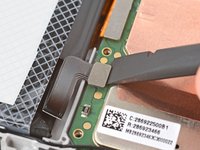
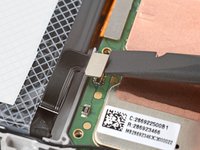
    • Use the flat end of a spudger to pry up and disconnect the battery press connector from the bottom edge of the motherboard.

    • To reconnect these type of connectors, align the connector over its socket and press down with your fingertip—first at one side, then the other—until it clicks into place. Don't try to force the connector into place, or you may permanently damage it.

  11. HMD Pulse+ Back Cover Replacement, Remove the back cover: 11 단계, 이미지 2개 중 1개 HMD Pulse+ Back Cover Replacement, Remove the back cover: 11 단계, 이미지 2개 중 2개
    • Use the flat end of a spudger to pry up and disconnect the back cover press connector from the bottom edge of the motherboard.

  12. HMD Pulse+ Back Cover Replacement: 12 단계, 이미지 1개 중 1개
    • Remove the back cover.

  13. HMD Pulse+ Back Cover Replacement, Transfer the necessary parts: 13 단계, 이미지 2개 중 1개 HMD Pulse+ Back Cover Replacement, Transfer the necessary parts: 13 단계, 이미지 2개 중 2개
    • Check if your replacement back cover has a power button and rear camera lens covers installed.

    • If it doesn't, follow the remaining steps to remove and transfer the parts.

  14. HMD Pulse+ Back Cover Replacement, Transfer the power button: 14 단계, 이미지 3개 중 1개 HMD Pulse+ Back Cover Replacement, Transfer the power button: 14 단계, 이미지 3개 중 2개 HMD Pulse+ Back Cover Replacement, Transfer the power button: 14 단계, 이미지 3개 중 3개
    이 단계에 사용된 도구:
    Tweezers
    $4.99
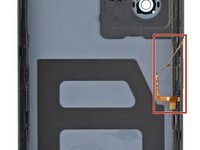
    • This step shows how to remove and transfer the power button.

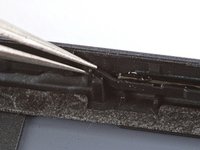
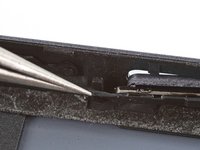
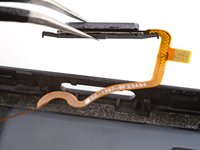
    • Use a pair of tweezers to gently grip the power button's top rubber arm and lift it out of its slot.

    • Lift and remove the power button.

    • During reassembly, transfer the original power button to your new back cover:

    • Installing the power button can be very tricky and may take a few tries.

    • Insert the bottom rubber arm and cable together into their slot and push the button into its cutout.

    • Slide the upper arm into its slot.

  15. HMD Pulse+ Back Cover Replacement, Transfer the rear camera lens covers: 15 단계, 이미지 3개 중 1개 HMD Pulse+ Back Cover Replacement, Transfer the rear camera lens covers: 15 단계, 이미지 3개 중 2개 HMD Pulse+ Back Cover Replacement, Transfer the rear camera lens covers: 15 단계, 이미지 3개 중 3개
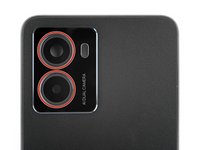
    • This step shows how to remove and transfer the two rear camera lens covers.

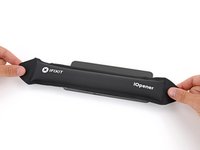
    • Apply a heated iOpener to the rear camera lens covers for one minute to soften their adhesive.

    • Alternatively, you can use a hair dryer to heat the lens covers. Be careful not to overheat them, as they may warp.

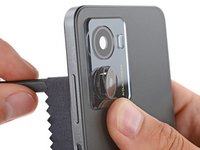
    • Wrap a soft cloth around the flat end of a spudger (to prevent scratching the cover) and push firmly on the back of the lens cover to separate its adhesive.

    • Remove the lens cover.

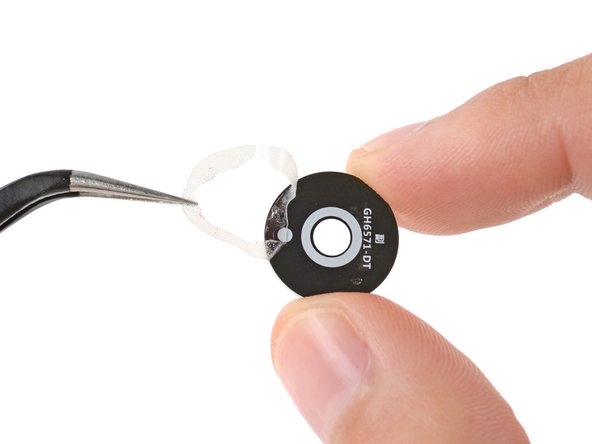
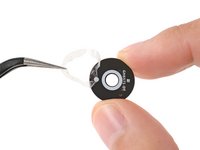
    • Use tweezers to remove any adhesive from the lens cover.

    • Repeat the process to remove the other lens cover.

    • During reassembly, transfer the original lens covers to your new back cover. To do this, remove the lens cover adhesive liners and press the covers into place to secure them. Use a clean cloth to wipe the lens covers before continuing with reassembly.

  16. HMD Pulse+ Back Cover Replacement: 16 단계, 이미지 1개 중 1개
    • You're left with the back cover.

결론

To reassemble your device, follow these instructions in reverse order.

Take your e-waste to an R2 or e-Stewards certified recycler.

Repair didn’t go as planned? Try some basic troubleshooting, or ask our Answers community for help.

다른 한 분이 해당 안내서를 완성하였습니다.

작성자

3다른 기여자 명과 함께

Spencer Day

회원 가입일: 09/14/22

150,248 평판

안내서 995개를 작성함

iFixit iFixit 회원

Staff

123 회원들

안내서 23,649개를 작성함

0가이드 댓글

댓글 쓰기

조회 통계:

지난 24시간: 0

지난 7일: 3

지난 30일: 19

전체 시간: 557