주요 콘텐츠로 건너뛰기
수리 커뮤니티 가입 - 계정 만들기

HP Chromebook CB2L Motherboard Replacement

필요한 것

  1. HP Chromebook CB2L Motherboard Replacement, Battery: 1 단계, 이미지 2개 중 1개 HP Chromebook CB2L Motherboard Replacement, Battery: 1 단계, 이미지 2개 중 2개
    • First flip your HP Chromebook CB2L over such that the bottom is facing upwards.

    • Next, using the plastic opening tool remove the blue panel.

  2. HP Chromebook CB2L Motherboard Replacement: 2 단계, 이미지 3개 중 1개 HP Chromebook CB2L Motherboard Replacement: 2 단계, 이미지 3개 중 2개 HP Chromebook CB2L Motherboard Replacement: 2 단계, 이미지 3개 중 3개
    • Using the Phillips #1 screwdriver, remove the six 1.2mm screws.

    • Gently pry off the white back panel using the plastic opening tool.

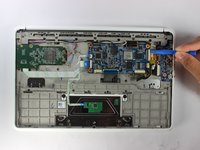
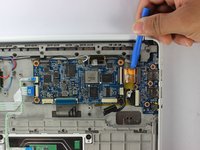
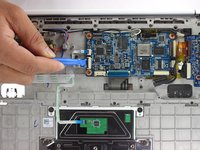
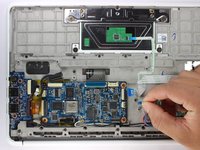
  3. HP Chromebook CB2L Motherboard Replacement: 3 단계, 이미지 1개 중 1개
    • Disconnect the battery input to the motherboard using the plastic opening tool

  4. HP Chromebook CB2L Motherboard Replacement: 4 단계, 이미지 1개 중 1개
    • Unscrew the four 1.2mm screws using the Phillips #1 screwdriver.

  5. HP Chromebook CB2L Motherboard Replacement: 5 단계, 이미지 1개 중 1개
    • Using the plastic opening tool remove the battery from the Chromebook.

  6. HP Chromebook CB2L Motherboard Replacement, Speaker: 6 단계, 이미지 1개 중 1개
    • Using the plastic opening tool lift the black tab.

    • Disconnect the blue and black strip from the motherboard.

  7. HP Chromebook CB2L Motherboard Replacement: 7 단계, 이미지 1개 중 1개
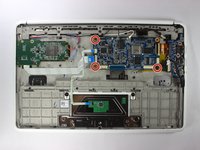
    • Use the Phillips #1 screwdriver to remove the four 1.2mm screws circled red.

  8. HP Chromebook CB2L Motherboard Replacement: 8 단계, 이미지 3개 중 1개 HP Chromebook CB2L Motherboard Replacement: 8 단계, 이미지 3개 중 2개 HP Chromebook CB2L Motherboard Replacement: 8 단계, 이미지 3개 중 3개
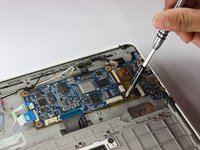
    • Gently pull the black wire to disconnect the audio port from the motherboard.

    • Disconnect the black wire connecting the speaker to the motherboard with caution.

  9. HP Chromebook CB2L Motherboard Replacement: 9 단계, 이미지 1개 중 1개
    • Use the plastic opening tool to remove the speaker from back panel.

  10. HP Chromebook CB2L Motherboard Replacement, Motherboard: 10 단계, 이미지 3개 중 1개 HP Chromebook CB2L Motherboard Replacement, Motherboard: 10 단계, 이미지 3개 중 2개 HP Chromebook CB2L Motherboard Replacement, Motherboard: 10 단계, 이미지 3개 중 3개
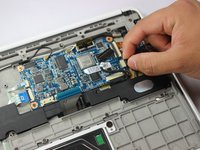
    • Disconnect the black wire which connects the audio port to the motherboard.

    • Use the plastic opening tool to lift the white tab.

    • Use the plastic opening tool to disconnect the gold strip which connects the audio port to the motherboard.

  11. HP Chromebook CB2L Motherboard Replacement: 11 단계, 이미지 2개 중 1개 HP Chromebook CB2L Motherboard Replacement: 11 단계, 이미지 2개 중 2개
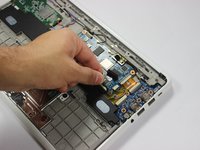
    • Lift the black tab using the plastic opening tool.

    • Remove the two white strips from the motherboard.

  12. HP Chromebook CB2L Motherboard Replacement: 12 단계, 이미지 2개 중 1개 HP Chromebook CB2L Motherboard Replacement: 12 단계, 이미지 2개 중 2개
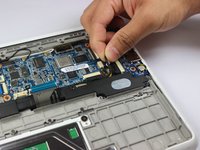
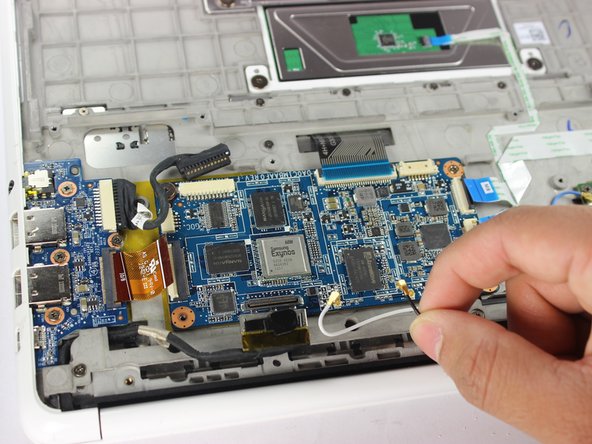
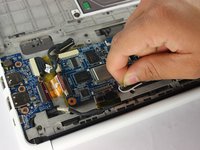
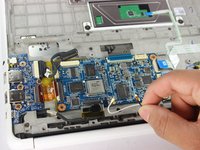
    • Lift the black and silver connector using plastic opening tool as shown.

    • Remove the white and black wires by rotating them counterclockwise and gently lifting them.

  13. HP Chromebook CB2L Motherboard Replacement: 13 단계, 이미지 3개 중 1개 HP Chromebook CB2L Motherboard Replacement: 13 단계, 이미지 3개 중 2개 HP Chromebook CB2L Motherboard Replacement: 13 단계, 이미지 3개 중 3개
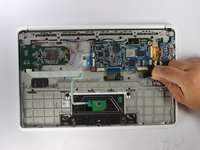
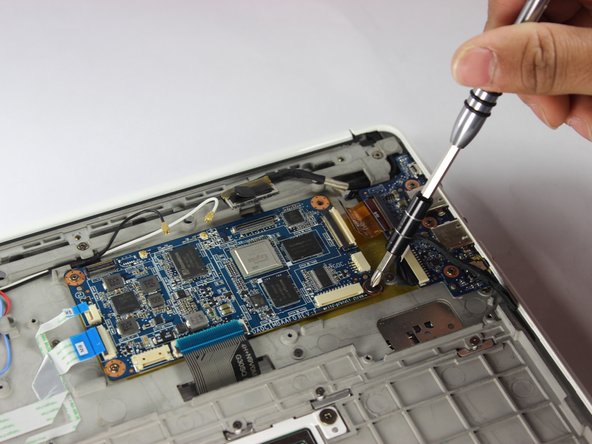
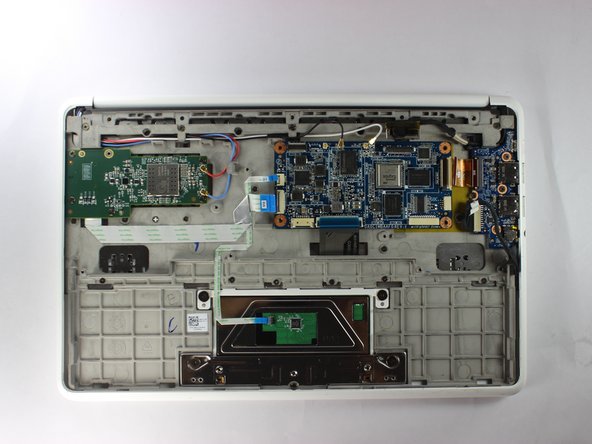
    • Remove the three 1.2mm screws using the Phillips #1 screwdriver.

  14. HP Chromebook CB2L Motherboard Replacement: 14 단계, 이미지 1개 중 1개
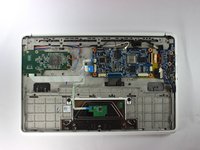
    • Using the plastic opening tool lift the motherboard out of the back panel.

결론

To reassemble your device, follow these instructions in reverse order.

작성자

3다른 기여자 명과 함께

Gregory Hinkson

회원 가입일: 02/13/17

352 평판

안내서 3개를 작성함

USF Tampa, Team S2-G6, Lacy Spring 2017 USF Tampa, Team S2-G6, Lacy Spring 2017 회원

USFT-LACY-S17S2G6

3 회원들

안내서 4개를 작성함

0가이드 댓글

댓글 쓰기

조회 통계:

지난 24시간: 1

지난 7일: 7

지난 30일: 27

전체 시간: 914