소개
If your HP ElitePad 1000 G2 (model HSTNN-C78C) touch screen isn’t responding to inputs intermittently or entirely, use this guide to replace the display assembly.
Before using this guide, refer to our troubleshooting page for an unresponsive touch screen as replacement my not be necessary. Make sure to clean the screen as dirt, and small amounts of moisture can interfere with the functionality of the touch screen. Make sure to restart the tablet as a minor software glitch may cause the screen to freeze up.
In the case of a shattered glass display use the following guide as a reference before continuing with this guide.
필요한 것
-
-
-
Using a Phillips #00 screwdriver, remove the two Phillips PM 1.4×3.2mm screws located next to the charging port.
 FixBot에 문의하기
-
-
-
Place the suction cup on the lower right corner of the tablet display glass, making sure to place the suction cup inside the edges of the border of the display glass.
-
Insert a plastic pick in between the display and the tablet case. Then use a plastic removal tool to separate the display further.
-
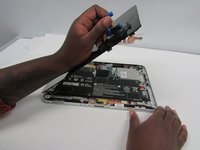
Pull on the suction cup while using the prying tool to separate the display from the tablet.
-
-
-
-
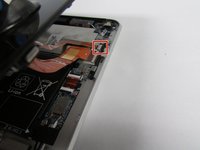
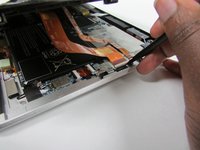
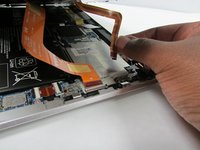
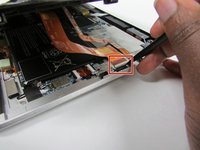
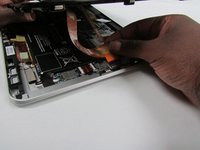
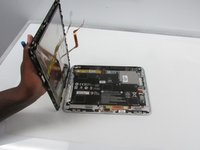
Release the zero insertion force (ZIF) connector to which the TouchScreen cable is attached, and then disconnect the TouchScreen cable from the system board.
-
-
-
Release the ZIF connector to which the display cable is attached, and then disconnect the display cable from the system board.
-
-






To reassemble your device, follow these instructions in reverse order.

팀

Embry-Riddle Aeronautical University, Team S3-G2, Watkins Summer 2019 Embry-Riddle Aeronautical University, Team S3-G2, Watkins Summer 2019 회원
ERAU-WATKINS-SU19S3G2
4 회원들
안내서 6개를 작성함
