소개
Without a functioning status display, which powers the LED interface, control of the device is limited. This guide will tell you step-by-step how to replace the status display.
필요한 것
-
-
-
Use the iOpener tool to unglue the adhesive of the device. The link to the iOpener instructions are listed below.
 FixBot에 문의하기
-
-
-
Place the flat head of the bigger plastic opening tool in between the front plate and back plate.
-
Pull the tool toward the back of the device to pry it open.
-
Repeat this process over all edges of the device.
-
-
-
Open up the device by pulling the front plate straight up from the back plate.
-
-
-
-
-
-
Carefully detach the wire running from the speaker to the motherboard by unplugging it from the white socket.
-
-
-
Using the PH000, unscrew the three 4.55 mm screws in the motherboard.
-
The names of the screwdriver heads are listed on the sides of each head.
-
-
-
-
-
Using the PH000, unscrew the three 4.6mm screws in the status display.
-
-
-
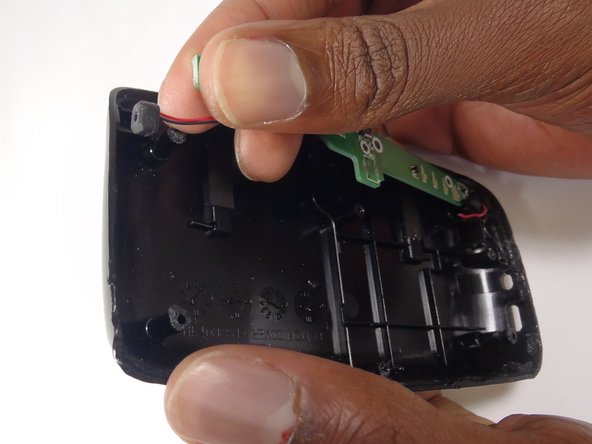
Disconnect the wires connecting the status display to the back plate. Do this by pulling the wire from the black socket.
-
Do this with the wires on both sides of the status board.
-
-




To reassemble your device, follow these instructions in reverse order.
다른 한 분이 해당 안내서를 완성하였습니다.

팀

Baylor, Team 8-13, Williams Fall 2014 Baylor, Team 8-13, Williams Fall 2014 회원
BU-WILLIAMS-F14S8G13
3 회원들
안내서 15개를 작성함
