소개
This guide provides the procedure for replacing the front buttons on the device. To access the front buttons, the device case needs to be opened. The process of opening the device might be intimidating at first, but the proper precautions are outlined in the guide. No device damage is expected if the guide steps are followed. For more information, refer to our troubleshooting page.
필요한 것
-
-
Before you begin, power off the console and remove:
-
The stylus
-
Any game cartridge
-
The microSD card
 FixBot에 문의하기
-
-
-
Use a tri‑point Y00 screwdriver to remove the four 6 mm‑long screws located at the four corners of the bottom panel.
-
-
-
Use a spudger to gently pry around the two short edges and front edge (with the stylus cut‑out) to release the clips securing the back cover.
-
Swing the back cover open from its front edge to release the clips along the hinge edge. Don't remove it fully—three cables are connecting it to the motherboard (two on each side and one in the rear).
-
-
이 단계에 사용된 도구:Tweezers$4.99
-
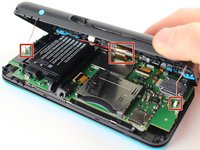
Use tweezers to disconnect the two cables that connect the rear buttons on either side to the motherboard by gently pulling them upwards.
-
Fold the back cover over the hinge edge, keeping the cable connected. Don't strain the cable.
-
-
-
-
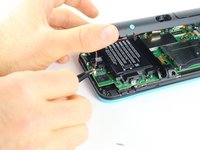
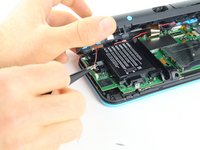
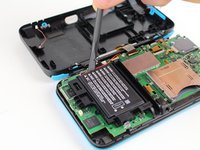
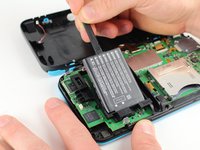
Use the flat end of a spudger to gently pry the battery out of its plastic enclosure.
-
-
이 단계에 사용된 도구:Tweezers$4.99
-
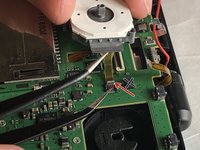
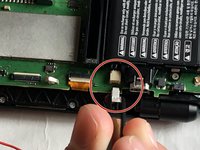
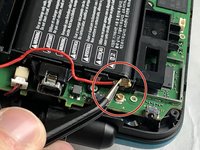
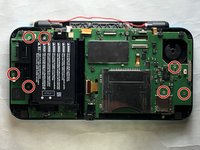
There are 8 ribbon cables that need to be removed as shown in the picture.
-
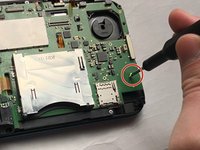
For the remaining 6 (in red), use a pair of tweezers to flip the latches up and pull the ribbon cable out.
-
Note that the second picture shows a broken ribbon connector next to the joystick ribbon connector (to the right of the red arrow). Do not attempt to unlatch this connector as shown in the picture!
-
-
-
Remove the seven 4.4 mm screws using a J00 (or iFixit's Phillips #00) screwdriver bit.
-
Remove the motherboard from the device.
-
-
이 단계에 사용된 도구:Tweezers$4.99
-
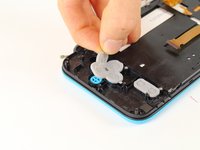
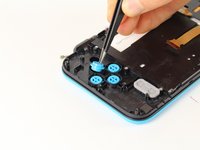
Lift off the rubber cover on the A, B, X, and Y buttons.
-
Using tweezers, lift out the buttons.
-
-
-
Lift off the grey rubber cover on the start and select buttons.
-
Using tweezers, lift out the buttons.
-
-
-
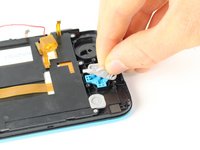
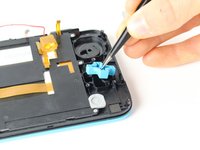
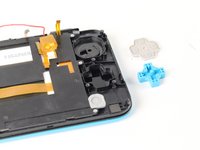
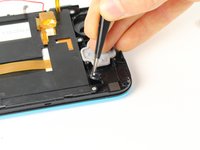
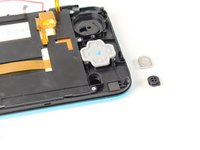
Lift off the grey rubber membrane on the D-pad.
-
Using tweezers, lift the D-pad out.
-
-
-
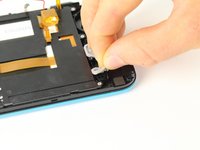
Lift off the grey rubber membrane covering the home button.
-
Using tweezers, lift out the button.
-














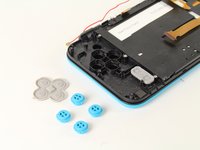


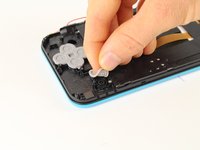
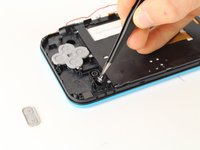
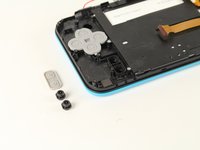




To reassemble your device, follow these instructions in reverse order.
다른 6명이 해당 안내서를 완성하였습니다.

팀

Cal Poly, Team S18-G6, Forte Fall 2017 Cal Poly, Team S18-G6, Forte Fall 2017 회원
CPSU-FORTE-F17S18G6
5 회원들
안내서 24개를 작성함
4가이드 댓글
after assembly, pressing ZL causes some kind of an electric short, and the console turns off immediately, help !
This usually occurs when you break the lower screen's power ribbon cable connector. It is not a ZIF connector and "unlatching" it will break it causing a loose fit. The shoulder button presses against the ribbon cable causing it to shift in the connector resulting in the speakers popping and the device turning off.
