주요 콘텐츠로 건너뛰기
수리 커뮤니티 가입 - 계정 만들기

Nextbook Premium 7SE Volume Buttons Replacement

필요한 것

  1. Nextbook Premium 7SE Volume Buttons Replacement, Back Cover: 1 단계, 이미지 3개 중 1개 Nextbook Premium 7SE Volume Buttons Replacement, Back Cover: 1 단계, 이미지 3개 중 2개 Nextbook Premium 7SE Volume Buttons Replacement, Back Cover: 1 단계, 이미지 3개 중 3개
    • Insert the plastic opening tool into the middle of the bottom edge of the device. The tool should be inserted within the seam between the back and front covers.

    • Slide the opening tool to the right and slowly continue to separate the back cover from the device.

    • Avoid prying on the buttons, as they are easily damaged.

  2. Nextbook Premium 7SE Volume Buttons Replacement: 2 단계, 이미지 1개 중 1개
    • Pull the cover off of the device once about three quarters of the cover has been pried open using the plastic opening tool.

  3. Nextbook Premium 7SE Volume Buttons Replacement, Battery: 3 단계, 이미지 1개 중 1개
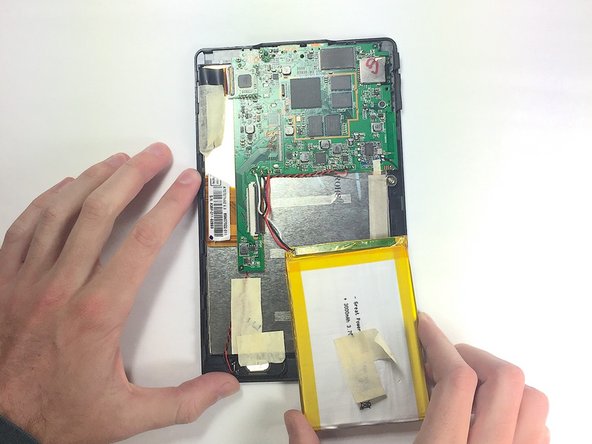
    • Remove masking tape from the battery.

  4. Nextbook Premium 7SE Volume Buttons Replacement: 4 단계, 이미지 3개 중 1개 Nextbook Premium 7SE Volume Buttons Replacement: 4 단계, 이미지 3개 중 2개 Nextbook Premium 7SE Volume Buttons Replacement: 4 단계, 이미지 3개 중 3개
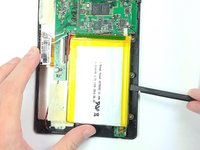
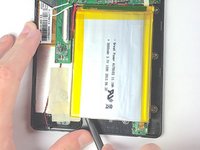
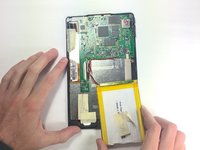
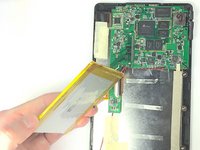
    • Pry the battery from the base using the nylon spudger and move it away from the motherboard.

    • Handle the battery with care to avoid damaging it.

  5. Nextbook Premium 7SE Volume Buttons Replacement: 5 단계, 이미지 3개 중 1개 Nextbook Premium 7SE Volume Buttons Replacement: 5 단계, 이미지 3개 중 2개 Nextbook Premium 7SE Volume Buttons Replacement: 5 단계, 이미지 3개 중 3개
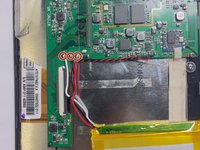
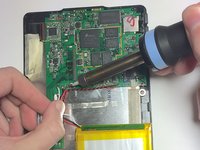
    • De-solder the three contact points and remove the battery.

    • See the following guide for instructions on how to solder. 연결부 납땜 및 납제거 방법

    • Use caution when operating the soldering iron.

  6. Nextbook Premium 7SE Volume Buttons Replacement, Motherboard: 6 단계, 이미지 3개 중 1개 Nextbook Premium 7SE Volume Buttons Replacement, Motherboard: 6 단계, 이미지 3개 중 2개 Nextbook Premium 7SE Volume Buttons Replacement, Motherboard: 6 단계, 이미지 3개 중 3개
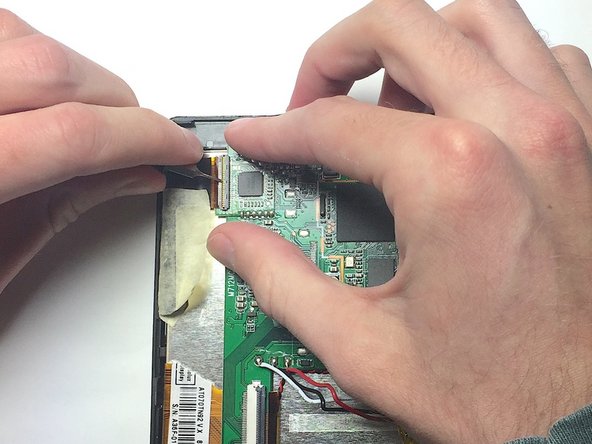
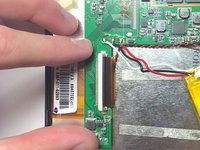
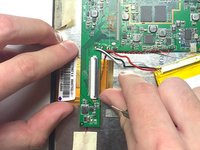
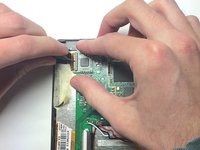
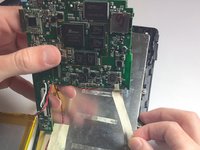
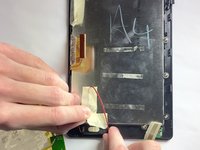
    • Remove the two ZIF connectors attached to the motherboard by flipping up the black tabs before pulling the ribbon cable away.

    • Only use a fingernail or nylon spudger to flip up the retaining flap. Using metal tools may damage delicate components.

  7. Nextbook Premium 7SE Volume Buttons Replacement: 7 단계, 이미지 1개 중 1개
    • Use the nut driver and J00 bit to remove the three 4 mm screws.

  8. Nextbook Premium 7SE Volume Buttons Replacement: 8 단계, 이미지 3개 중 1개 Nextbook Premium 7SE Volume Buttons Replacement: 8 단계, 이미지 3개 중 2개 Nextbook Premium 7SE Volume Buttons Replacement: 8 단계, 이미지 3개 중 3개
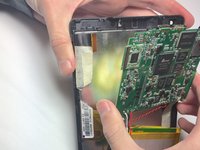
    • Peel back metal tape that is hiding the auxiliary port wires.

    • Remove tape that is holding the speaker wires in place.

    • Lift up on the motherboard to release it from the tablet.

  9. Nextbook Premium 7SE Volume Buttons Replacement, Volume Buttons: 9 단계, 이미지 1개 중 1개
    • De-solder volume buttons' eight contact points.

    • Each button has 4 points of contact.

결론

To reassemble your device, follow these instructions in reverse order.

작성자

3다른 기여자 명과 함께

Michelle Helweh

회원 가입일: 10/30/16

214 평판

안내서 2개를 작성함

Baylor, Team 4-1, Williams Fall 2016 Baylor, Team 4-1, Williams Fall 2016 회원

BU-WILLIAMS-F16S4G1

4 회원들

안내서 14개를 작성함

0가이드 댓글

댓글 쓰기

조회 통계:

지난 24시간: 0

지난 7일: 8

지난 30일: 14

전체 시간: 288