주요 콘텐츠로 건너뛰기
수리 커뮤니티 가입 - 계정 만들기

Palm TX Battery Pack Replacement

필요한 것

  1. Palm TX Battery Pack Replacement, Back Panel: 1 단계, 이미지 2개 중 1개 Palm TX Battery Pack Replacement, Back Panel: 1 단계, 이미지 2개 중 2개
    • Orient the device so that the display faces forward.

    • Remove the stylus from the right side.

  2. Palm TX Battery Pack Replacement: 2 단계, 이미지 1개 중 1개
    • Turn over the device so that the back panel faces forward.

    • Use a T5 Torx screwdriver to remove the four 6.35mm corner screws.

  3. Palm TX Battery Pack Replacement: 3 단계, 이미지 2개 중 1개 Palm TX Battery Pack Replacement: 3 단계, 이미지 2개 중 2개
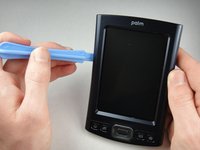
    • Rotate the device so that the display faces forward.

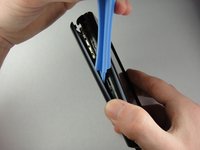
    • Insert a plastic opening tool with the angled tip pointing downward into the crevice on the left side of the device.

    • Pry along the crevice to loosen the back panel.

    • Repeat this process for the right side.

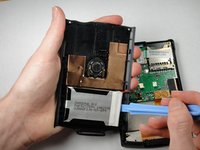
  4. Palm TX Battery Pack Replacement: 4 단계, 이미지 2개 중 1개 Palm TX Battery Pack Replacement: 4 단계, 이미지 2개 중 2개
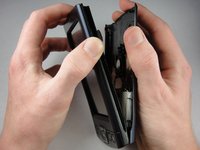
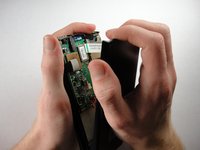
    • Carefully pry the back panel to open the device.

    • Be careful not to break the wire that connects the battery pack to the motherboard.

    • When reassembling, snap the back panel back into place and then insert the top cover.

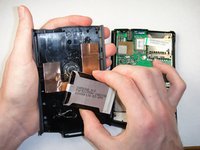
  5. Palm TX Battery Pack Replacement: 5 단계, 이미지 2개 중 1개 Palm TX Battery Pack Replacement: 5 단계, 이미지 2개 중 2개
    • Use a plastic opening tool to peel the battery pack from the back panel.

    • The battery pack is glued to the back panel so removing it may require considerable effort.

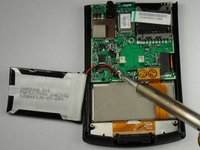
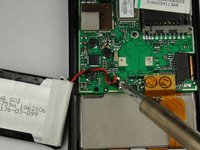
  6. Palm TX Battery Pack Replacement, Battery Pack: 6 단계, 이미지 2개 중 1개 Palm TX Battery Pack Replacement, Battery Pack: 6 단계, 이미지 2개 중 2개
    • Use a soldering iron to disconnect the battery wires from the motherboard.

    • For soldering instructions, you can view the Soldering Guide.

결론

To reassemble your device, follow these instructions in reverse order.

다른 5명이 해당 안내서를 완성하였습니다.

작성자

5다른 기여자 명과 함께

Spencer Lewson

회원 가입일: 01/19/11

793 평판

안내서 6개를 작성함

Cal Poly, Team 1-15, Amido Winter 2011 Cal Poly, Team 1-15, Amido Winter 2011 회원

CPSU-AMIDO-W11S1G15

4 회원들

안내서 9개를 작성함

1가이드 댓글

In step 1 - Also remove the cover hinge by sliding downwards

In step 3 - there are actually 2 crevices on the left side of the device. Use the larger, which originally held the cover hinge (the smaller crevice seems to remove the facia)

Jack - 답글

댓글 쓰기

조회 통계:

지난 24시간: 1

지난 7일: 12

지난 30일: 64

전체 시간: 7,995