주요 콘텐츠로 건너뛰기
수리 커뮤니티 가입 - 계정 만들기

ThinkPad T420 Memory Replacement

필요한 것

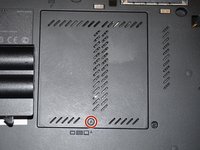
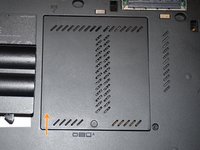
  1. ThinkPad T420 Memory Replacement, Change note: 1 단계, 이미지 2개 중 1개 ThinkPad T420 Memory Replacement, Change note: 1 단계, 이미지 2개 중 2개
    이 단계에 사용된 도구:
    Essential Electronics Toolkit
    $25.46
    • Due to the EET missing several components present in the Pro Tech Go and only being $20 cheaper, the EET has been removed. The EET will work for this guide as-is, but if you are shopping for a new toolkit to complete this guide, the Pro Tech Go (new or refurbished, refurbished is ~$32 cheaper), or Pro Tech ($79 new/~$59.95 refurb) is the current recommended toolkit for this guide.

    • If you are interested in a refurbished kit stock levels change frequently but can be found here.

    댓글 쓰기

  2. ThinkPad T420 Memory Replacement, Unlock the battery: 2 단계, 이미지 3개 중 1개 ThinkPad T420 Memory Replacement, Unlock the battery: 2 단계, 이미지 3개 중 2개 ThinkPad T420 Memory Replacement, Unlock the battery: 2 단계, 이미지 3개 중 3개
    • If completing a step like a clone of your old hard drive/SSD, DO NOT remove the battery until the process is complete!

    • Unlock the latch locking the battery in the laptop.

    • NOTE: To remove the battery, the tab must be held in to avoid having the lock reinitiate inside the laptop.

    댓글 쓰기

  3. ThinkPad T420 Memory Replacement, Release the battery: 3 단계, 이미지 3개 중 1개 ThinkPad T420 Memory Replacement, Release the battery: 3 단계, 이미지 3개 중 2개 ThinkPad T420 Memory Replacement, Release the battery: 3 단계, 이미지 3개 중 3개
    • After unlocking the battery, remove the battery from the reverse way it is installed to remove it from the laptop.

    댓글 쓰기

  4. ThinkPad T420 Memory Replacement, Remove the RAM door: 4 단계, 이미지 3개 중 1개 ThinkPad T420 Memory Replacement, Remove the RAM door: 4 단계, 이미지 3개 중 2개 ThinkPad T420 Memory Replacement, Remove the RAM door: 4 단계, 이미지 3개 중 3개
    • EET owners: Your kit has this bit. No purchase needed.

    • If you are removing this cover to upgrade/replace your lower RAM module, the keyboard screw DOES NOT need to be removed.

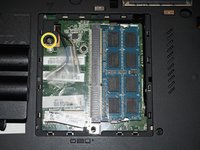
    • WWAN ready systems ship with antenna covers over these cables. Someone installed a WLAN card in this T420 which disabled the better card and was removed.

    • Loosen the screw in red (Phillips #2). This screw stays captive in the bottom RAM door cover, and does not need to be removed.

    • Pull the cover up with a fingernail or a nonmarring pry tool.

    • Remove the screw retaining the keyboard.

    댓글 쓰기

  5. ThinkPad T420 Memory Replacement, Remove the keyboard: 5 단계, 이미지 3개 중 1개 ThinkPad T420 Memory Replacement, Remove the keyboard: 5 단계, 이미지 3개 중 2개 ThinkPad T420 Memory Replacement, Remove the keyboard: 5 단계, 이미지 3개 중 3개
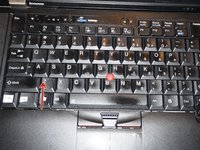
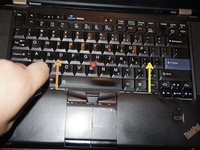
    • Open the laptop.

    • To remove the keyboard, release the keyboard hooks using a plastic pry tool.

    • Once the keyboard is loose, remove it from the chassis.

    댓글 쓰기

  6. ThinkPad T420 Memory Replacement, Disconnect the keyboard: 6 단계, 이미지 3개 중 1개 ThinkPad T420 Memory Replacement, Disconnect the keyboard: 6 단계, 이미지 3개 중 2개 ThinkPad T420 Memory Replacement, Disconnect the keyboard: 6 단계, 이미지 3개 중 3개
    • To reinstall the keyboard, refer to the steps in this guide.

    • This step can be skipped if you remove the keyboard to upgrade/replace the RAM. However, disconnecting it may allow for better access to the upper (Keyboard) RAM module.

    • If you have a can of compressed air available, some of the dust can be removed at this point. Further disassembly is required for a full cleaning.

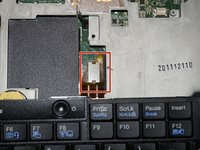
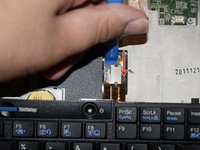
    • Disconnect the keyboard from the motherboard. Use a plastic pry tool for this step.

    댓글 쓰기

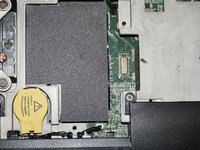
  7. ThinkPad T420 Memory Replacement, RAM module - Bottom: 7 단계, 이미지 3개 중 1개 ThinkPad T420 Memory Replacement, RAM module - Bottom: 7 단계, 이미지 3개 중 2개 ThinkPad T420 Memory Replacement, RAM module - Bottom: 7 단계, 이미지 3개 중 3개
    • Unclip the RAM module by pulling the memory retention tabs back.

    • Remove the existing module by pulling the module from the side, at a 90 degree angle.

    댓글 쓰기

  8. ThinkPad T420 Memory Replacement, RAM module - keyboard: 8 단계, 이미지 3개 중 1개 ThinkPad T420 Memory Replacement, RAM module - keyboard: 8 단계, 이미지 3개 중 2개 ThinkPad T420 Memory Replacement, RAM module - keyboard: 8 단계, 이미지 3개 중 3개
    • To reinstall the keyboard, refer to the steps in this guide.

    • Lift the plastic cover hiding the RAM module.

    • Unlatch the tabs retaining the memory module.

    • Pull the module out from a 90 degree angle.

    댓글 쓰기

결론

To reassemble your device, follow these instructions in reverse order.

취소: 해당 안내서를 완성하지 않았습니다.

다른 16명이 해당 안내서를 완성하였습니다.

작성자

2다른 기여자 명과 함께

Nick

회원 가입일: 11/10/09

103,696 평판

안내서 69개를 작성함

Master Techs Master Techs 회원

Community

333 회원들

안내서 1,495개를 작성함

2가이드 댓글

What tool might one use as a pry?

commander - 답글 공유

The plastic pry tool will also work for the bottom RAM/mSATA part. I can usually get it open without the assistance of pry tools.

Nick - 답글 공유

댓글 쓰기

조회 통계:

지난 24시간: 2

지난 7일: 24

지난 30일: 114

전체 시간: 21,893