소개
This guide is meant to help you disassemble and empty the contents inside of the ionvac. While the dustbin should be emptied after each use, it’s necessary to clean the suction filter once a week using the brush cleaner in order to continuously promote a strong suction (twice a week if your household has pets). Additionally, the filter should be replaced every 2 months.
This is a quick and easy replacement, and you will not need any tools to complete it. Remember to remove and reinstall all parts gently.
-
-
Feel along the top of the ionvac to find a curved dent or groove.
-
Lift the groove in order to reveal both the sharp cleaning tool and the dustbin.
 FixBot에 문의하기
-
-
-
-
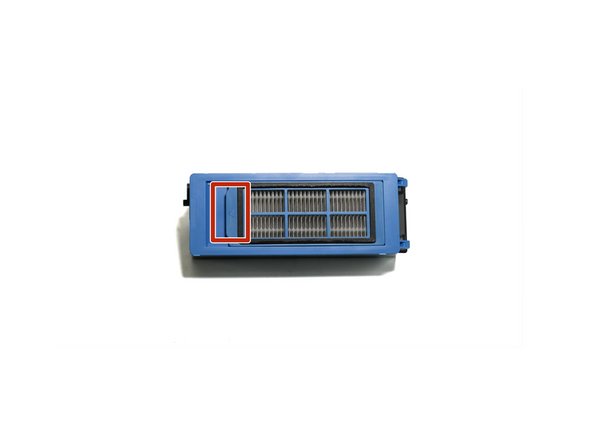
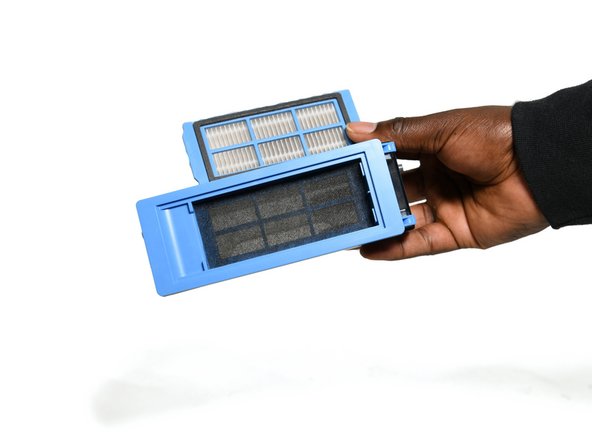
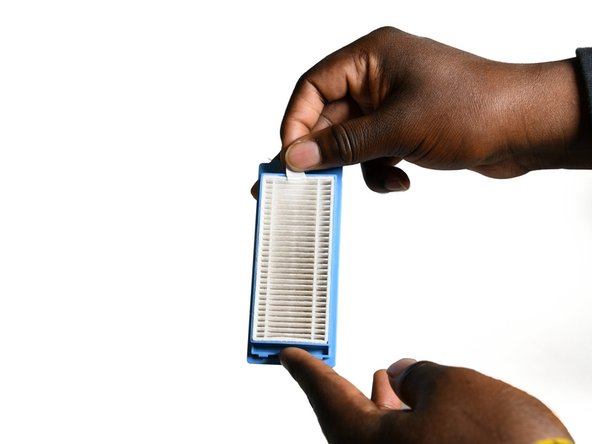
Open the small tab on the front of the blue filter unit and pull the white filter out.
-
-
-
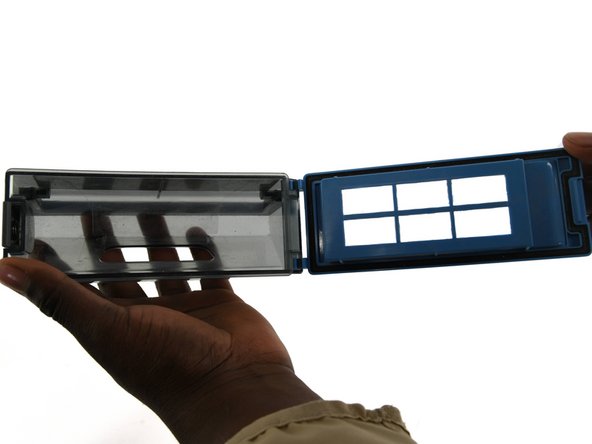
To open the dustbin, face the filter towards you and press the gray button on the left side of the blue trapdoor.
-
Empty all contents inside the dustbin.
-


To reassemble your device, follow these instructions in reverse order.

팀

University of Colorado Denver, Team 1-1, Campeau Fall 2023 University of Colorado Denver, Team 1-1, Campeau Fall 2023 회원
UCDENVER-CAMPEAU-F23S1G1
7 회원들
안내서 22개를 작성함
