주요 콘텐츠로 건너뛰기

why! N240BU CMOS Battery Replacement

필요한 것

  1. why! N240BU CMOS Battery Replacement, Battery: 1 단계, 이미지 2개 중 1개 why! N240BU CMOS Battery Replacement, Battery: 1 단계, 이미지 2개 중 2개
    • Start by unlocking the right locking latch.

    • Then, by simultaneously unlocking the left latch, lift the battery out of its socket.

  2. why! N240BU CMOS Battery Replacement, Access to main components: 2 단계, 이미지 2개 중 1개 why! N240BU CMOS Battery Replacement, Access to main components: 2 단계, 이미지 2개 중 2개
    • Begin by spotting the dummy memory card.

    • Then, remove it and put it on your workplan.

  3. why! N240BU CMOS Battery Replacement: 3 단계, 이미지 3개 중 1개 why! N240BU CMOS Battery Replacement: 3 단계, 이미지 3개 중 2개 why! N240BU CMOS Battery Replacement: 3 단계, 이미지 3개 중 3개
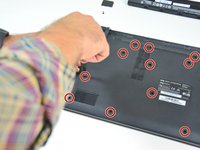
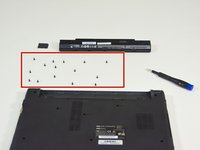
    • Locate the 15 screws that hold the bottom cover of the device in place.

    • Unscrew them and place them on your work surface.

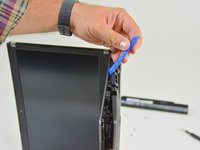
    • Then, un-clip the bottom cover, starting with the side shown in the third picture.

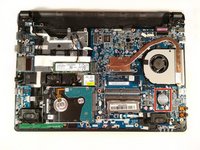
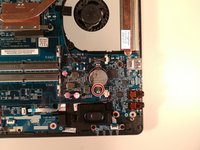
  4. why! N240BU CMOS Battery Replacement, CMOS Battery: 4 단계, 이미지 2개 중 1개 why! N240BU CMOS Battery Replacement, CMOS Battery: 4 단계, 이미지 2개 중 2개
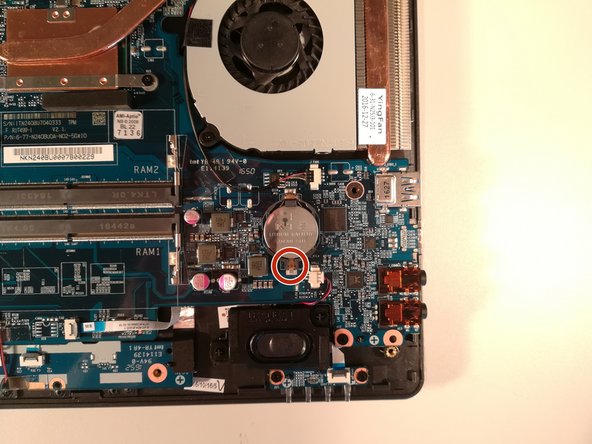
    • Press with a screwdriver in the red circled area to spread the base of the battery

    • Remove the battery by holding the screwdriver down

결론

To reassemble your device follow the following instructions in reverse order

다음 번역가들에게 특별히 감사 드립니다:

fr en

100%

이 번역인들은 저희가 세상을 수리하는 데 도움을 주고 있어요! 기여하시겠습니까?
번역 시작하기 ›

작성자

2다른 기여자 명과 함께

Felice Suglia

회원 가입일: 06/15/13

33,538 평판

안내서 283개를 작성함

0가이드 댓글

댓글 쓰기

조회 통계:

지난 24시간: 0

지난 7일: 0

지난 30일: 1

전체 시간: 303