주요 콘텐츠로 건너뛰기

why! N650DU The LCD screen

필요한 것

  1. why! N650DU The LCD screen, The Batteries: 1 단계, 이미지 3개 중 1개 why! N650DU The LCD screen, The Batteries: 1 단계, 이미지 3개 중 2개 why! N650DU The LCD screen, The Batteries: 1 단계, 이미지 3개 중 3개
    • Unlock the button without spring

    • Slide the battery up while unlocking the button with spring

  2. why! N650DU The LCD screen, LCD screen: 2 단계, 이미지 3개 중 1개 why! N650DU The LCD screen, LCD screen: 2 단계, 이미지 3개 중 2개 why! N650DU The LCD screen, LCD screen: 2 단계, 이미지 3개 중 3개
    • Remove the two stickers circled in red

    • Unscrew the two screws

  3. why! N650DU The LCD screen: 3 단계, 이미지 3개 중 1개 why! N650DU The LCD screen: 3 단계, 이미지 3개 중 2개 why! N650DU The LCD screen: 3 단계, 이미지 3개 중 3개
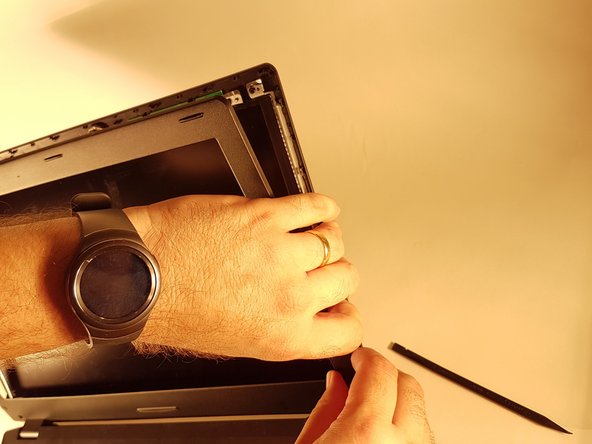
    • Tilt back the screen

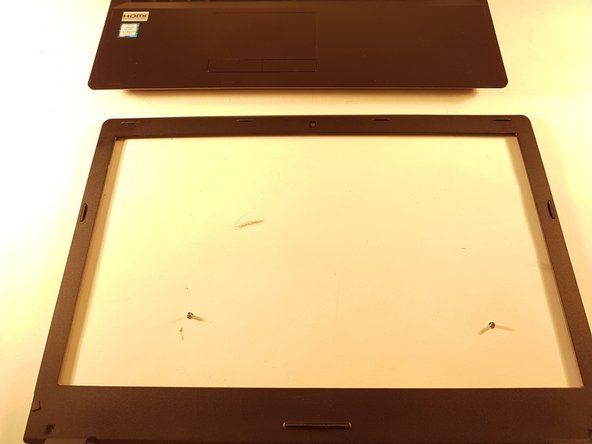
    • Remove the frame from the screen

  4. why! N650DU The LCD screen: 4 단계, 이미지 3개 중 1개 why! N650DU The LCD screen: 4 단계, 이미지 3개 중 2개 why! N650DU The LCD screen: 4 단계, 이미지 3개 중 3개
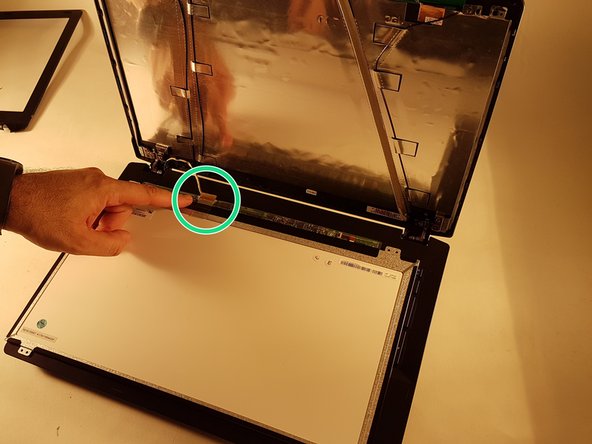
    • Unscrew the four screws circled in red

    • Put the screen gently on the keyboard

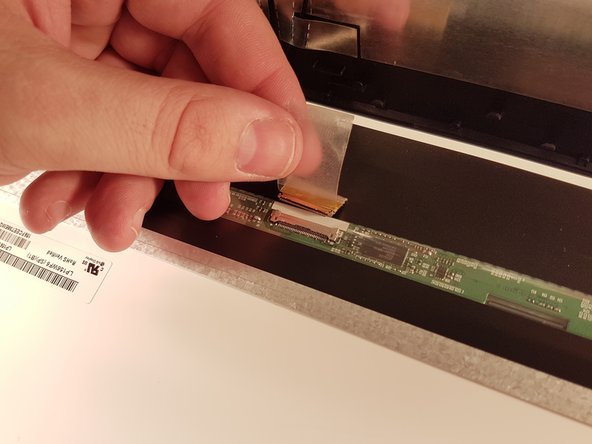
    • Remove the piece of tape then disconnect the connector surrounded in green

결론

To reassemble your device, follow the instructions in reverse order.

다음 번역가들에게 특별히 감사 드립니다:

fr en

100%

Israel님은 저희가 세상을 수리하는데 동참하신 분입니다! 기여하시겠습니까?
번역 시작하기 ›

작성자

1다른 기여자 명과 함께

Felice Suglia

회원 가입일: 06/15/13

33,538 평판

안내서 283개를 작성함

0가이드 댓글

댓글 쓰기

조회 통계:

지난 24시간: 2

지난 7일: 2

지난 30일: 7

전체 시간: 423