

내 문제
Battery was weak. The iPhone 5 often showed +50% battery status - then, all of a sudden, the OS shut down.
나의 수리
I followed the very good instruction from the fixit-website (Mac mini A1283 모델 RAM 교체). The instruction said when removing the display you should pry with the plastic opening tool around the display to loosen the display (steps 6-8). This didn't work with me. I couldn't lift the display high enough to get the opening tool between display and body. But when I finally managed to lift it at the bottom (where the screws were), it came off altogether. Luckily, I didn't pull too hard so I didn't damage the wires.
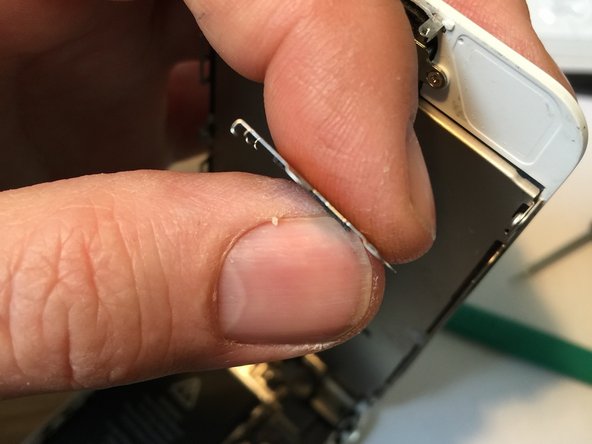
Another thing was the front panel assembly cable bracket (step 10), see photo. It has curved metal tongues that grab somewhere under the cables. It came off very hard - and it was hard to put it back. I first tried to somehow move the tongues where I thought they should go, but to no avail. Finally, I pressed it tightly down, and the tongues snapped in place. I needed quite a lot of pressure until the tongues "clicked".
내 조언
I had difficulties handling the tiny Phillips screws. Tweezers did the trick.


댓글 0개