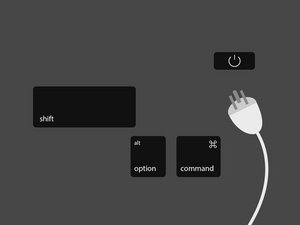
SMC를 재설정하는 방법은 문제해결 중인 Mac의 종류에 따라 다릅니다. 기기를 확인하고 해당 단계에 따라 SMC를 재설정하세요.
Mac 노트북
Apple 노트북에서 SMC를 재설정하는 절차는 사용자가 배터리를 교체할 수 있는지 여부에 따라 다릅니다. 구형 Apple 노트북(2009년 이전 생산)은 일반적으로 사용자가 배터리를 교체할 수 있었습니다. 도구 없이 배터리를 교체할 수 있는 Apple 노트북인 경우에만 '분리형 배터리' 단계를 따르세요.
분리형 배터리
Apple 노트북의 배터리를 사용자가 분리할 수 있는 경우, 다음 단계에 따라 SMC를 재설정하세요:
- 노트북을 종료합니다.
- 배터리를 분리하거나 커넥터를 뽑습니다.
- 배터리를 분리한 상태에서 전원 버튼을 15초 동안 길게 누릅니다.
- 배터리를 다시 장착하고 전원 버튼을 눌러 노트북을 켭니다.
일체형 배터리
Apple 노트북의 배터리를 사용자가 분리할 수 없는 경우, 다음 단계에 따라 SMC를 재설정하세요:
- Apple 메뉴('Apple 아이콘 -> 시스템 종료')에서 노트북을 종료합니다.
- 노트북이 완전히 종료되면 내장 키보드 왼쪽의 Shift, Control, Option 키를 누른 상태에서 전원 버튼을 동시에 누릅니다. 네 개의 키를 모두 10초 동안 길게 누르세요.
- Touch ID가 탑재된 MacBook Pro의 경우, Touch ID 버튼이 전원 버튼 역할도 합니다.
Mac 데스크톱
Mac 데스크톱 컴퓨터에서 SMC를 재설정하려면:
- 컴퓨터를 종료합니다.
- 전원 케이블을 뽑습니다.
- 전원 버튼을 15초 동안 길게 누릅니다.
- 전원 케이블을 다시 꽂습니다.
- 5초 이상 기다린 후 컴퓨터 전원을 켭니다.
T2 칩 탑재 Mac 노트북
Apple의 독자적인 T2 보안 칩을 탑재한 Mac 컴퓨터는 위에서 언급한 방법 외에도 SMC를 재설정하는 '소프트' 방식이 있습니다. Apple은 이 방법을 먼저 시도할 것을 권장합니다. 이 목록을 확인하여 컴퓨터에 T2 칩이 있는지 확인하세요.
- Apple 메뉴('Apple 아이콘 -> 시스템 종료')에서 컴퓨터를 종료합니다.
- 컴퓨터가 완전히 종료되면 전원 버튼을 15초 동안 길게 누릅니다.
- 전원 버튼에서 손을 떼고 5초 동안 기다립니다.
- 전원 버튼을 다시 눌러 Mac을 켭니다.
SMC 관련 기능 및 증상에 대한 전체 목록은 Apple의 SMC 문제해결 페이지를 방문하세요.
스피커, 디스플레이 또는 기타 주변 장치 관련 문제가 발생하는 경우, Mac의 NVRAM 재설정이 필요할 수 있습니다.
Apple Silicon Mac
Apple Silicon 프로세서가 탑재된 Mac은 Intel 프로세서 기반 Mac과 같은 시스템 관리 컨트롤러 시스템이 없으므로 SMC 재설정을 처리하지 않습니다.


댓글 10개
I have a problem.
My Ctrl-button is non-functional and I have a mid-2012 MacBook Pro - hence I cannot perform the acquired maneuver in order to initiate the SMC-reset.
How do one go about resetting the SMC when faced with that complication, on the Macbook that I happen to have?
/Daniel
Danney - 답글 공유
That MB Pro (2012) is notorious for logic board failures-that CAN NOT be fixed! - I spent countless hours and at least $1k to find out the sad truth. I replaced it in 2018 with an MB Air and have been happy with it.
J R Hildebrand - 답글 공유
my keyboard died years ago, along with display, trackpad and bluetooth, when the cable crapped out.
the cable may be your problem?
meantime my problem is that i am using the machine as a desktop, with external display, etc, and it is really all i have or could ever afford to replace..
have just bought and installed a new battery, now i must reset the SMC, or it will not charge - how do i do this?
or has apple defeated me?
bookface - 답글 공유
Since my mac mini 2018 has a T2 Chip, should I unplug the mini and follow the information above as listed in "Mac Desktops?" Rather than follow the information above listed in "Mac notebooks With a T2 Chip?" The reason for my question is when I followed the information listed in Mac notebooks With a T2 Chip, while holding the power button for 10 seconds, my mini began its startup process, and when waiting five seconds, I again pressed the power button again to turn on my mac, yet the mac was already on.
Dennis Evans - 답글 공유
Please my MacBook was not found on the screen when I just power it it will read slow after that it cut off so I don't know the reason why
Samuel Donkoh - 답글 공유