
주요 콘텐츠로 건너뛰기
수리 커뮤니티 가입 - 계정 만들기

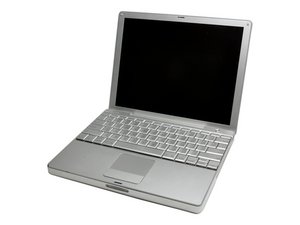
12인치 디스플레이를 탑재한 PowerBook G4 Aluminum 노트북입니다. 2003년 Apple에서 출시되었습니다.

Why is the screen dim?

I just took it apart to remove a loose screw in the optical drive and now the screen is dim...did I disconnect something? I am also having trouble getting the keys back on (is it a coincidence that one of the keys I removed was the dimmer key and the other is the brightener key)

답변되었습니다! 답변 보기 저도 같은 문제가 있습니다

좋은 질문입니까?

점수 1
댓글 4개

are you saying that you cannot increase brightness because the key is not working?

의

Thanks for the tips, I tried an external keyboard and proved that the problem is not the keyboard. I think I might have tweaked the display cable when I was putting the computer back together or maybe I mixed up some of the screws, could a too long or too short screw cause a problem?

의

DEAR LEMERISE..THE screen is very dark...if I turn it at a particular angle I can see the icons,etc on the screen.

의

12"...I've ordered a new display cable and when I get it i'll recheck all of my screws to make sure they are the right ones in the right places..thanks for your advise

의

댓글 달기

답변 5개

선택된 해법

You may go to the system preferences display preferences and check if you can modify the brightness from there. If yes then the keyboard has a problem. Try with an external USB keyboard.

이 답변이 도움이 되었나요?

점수 2
댓글 달기

try turning up the brightness, also charge your battery, the screen dims when the battery lowers, you could try to check the display cable too.

이 답변이 도움이 되었나요?

점수 0
댓글 달기

What is the PowerBook model (speed) ? 12"/15"/17" ?

이 답변이 도움이 되었나요?

점수 0
댓글 달기

You still have video in the screen so the new display cable will not solve the problem. From your description it seems to be a lightning problem related to the inverter cable, inverter board or backlight. You say the screen is dim. Is it completely black or there's still light in it ?

이 답변이 도움이 되었나요?

점수 0
댓글 달기

If the long screw you are referring to pinches a cable it can cause problems.

only YOU can tell if you put it together properly - why not take it apart and check - that way you also can check if you damaged a wire by routing it incorrectly.

이 답변이 도움이 되었나요?

점수 -1
댓글 달기

답변을 추가하세요

oliviachas 영원히 감사할 것입니다.
조회 통계:

지난 24시간: 0

지난 7일: 0

지난 30일: 30

전체 시간: 2,768