Zack Borgen, I am a bit confused. You said that you replaced the screen, but now you are wondering how to install it. Did you check my answer from here:"
Take apart the battery cover using notch below
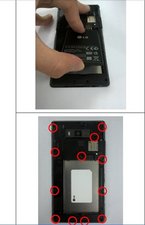
Take apart the battery and remove screw (12 point)
1. Unfastening the hook, make gap between Rear Cover and Front Cover
2. Widen the gap between Rear Cover and Front Cover and hook off starting from below side (back view)
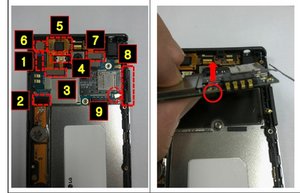
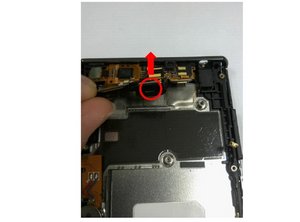
1. Take connectors & Side Key FPCB (1~9) out of the Main PCB
2. Widen the gap between Front cover and main PCB
3. Remover the Bracket Camera to upper
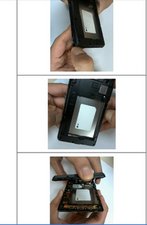
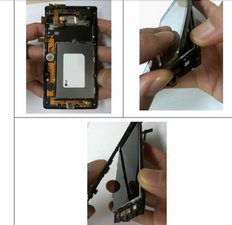
1. Unfastening the hook from below side, sh back side of LCD through a hole on back side of Front cover
2. Take apart Frame out of Front cover
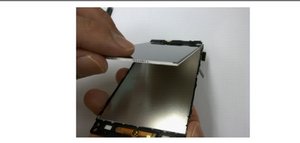
1. Lift LCD from the frame & Take off the LCD.
2. Be careful. Do not tear the LCD FPCB


 1
1  1
1 
 2.4k
2.4k 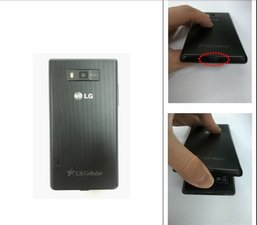

댓글 2개
Well I should have clarified. I Replaced the touch screen, which had a few spider web cracks in it. I also damaged the LCD screen, I do not know how to Take out, and put in the new LCD screen, at least with out damaging anything.
Zack Borgen 의
Oh nevermind, I did a little tinkering around, and got it all situated, thanks for the help though man, I'll accent your answer.
Zack Borgen 의