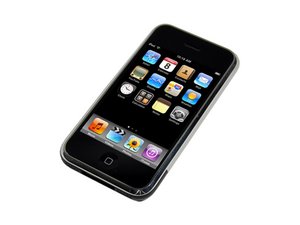

How can I unlock it without my computer?
I just found my iphone 1st generation but i forgot my password,how can i unlock it without my computer?
좋은 질문입니까?
점수
3
평판: 37
 2
2
I just found my iphone 1st generation but i forgot my password,how can i unlock it without my computer?
좋은 질문입니까?
평판: 685
10
 4
4
 1
1
As far as I know, you will have to install iTunes on your computer and restore the firmware of the device with iTunes. It should be noted that you will lose all data on the iPhone if you use this procedure.
1. Plug your iPhone into computer with iTunes installed, and open.
2. Shut down the iPhone (hold power button and slide to power off)
3. With the iPhone off, hold the power button for three seconds
4. While holding the power button, press and hold the home button at the same time.
5. Hold both buttons for 10 seconds.
6. Let go of the power button, but continue holding the home button.
After roughly 8-10 seconds, you should see a prompt in iTunes telling you that the connected device is in recovery mode and needs to be restored. From there, follow the prompts to download the iOS firmware for your device and restore it to factory defaults.
이 답변이 도움이 되었나요?
지난 24시간: 0
지난 7일: 0
지난 30일: 12
전체 시간: 667